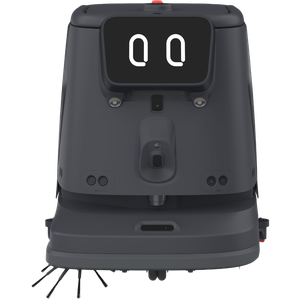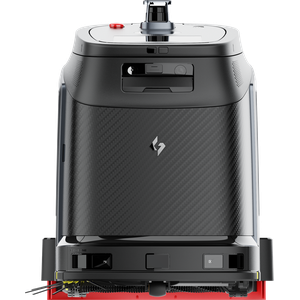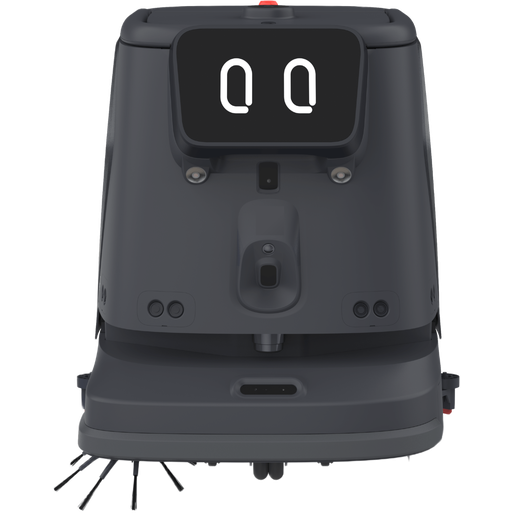

- Best for malls, hotels, hospitals, airports and offices
- AI spot scrubbing with real-time cleaning checks
- Autonomous operation with automatic water and charging
Automate large-area cleaning with the CC1 Pro
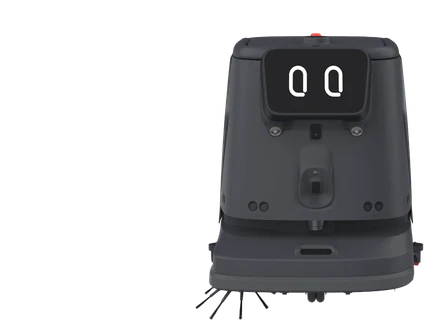
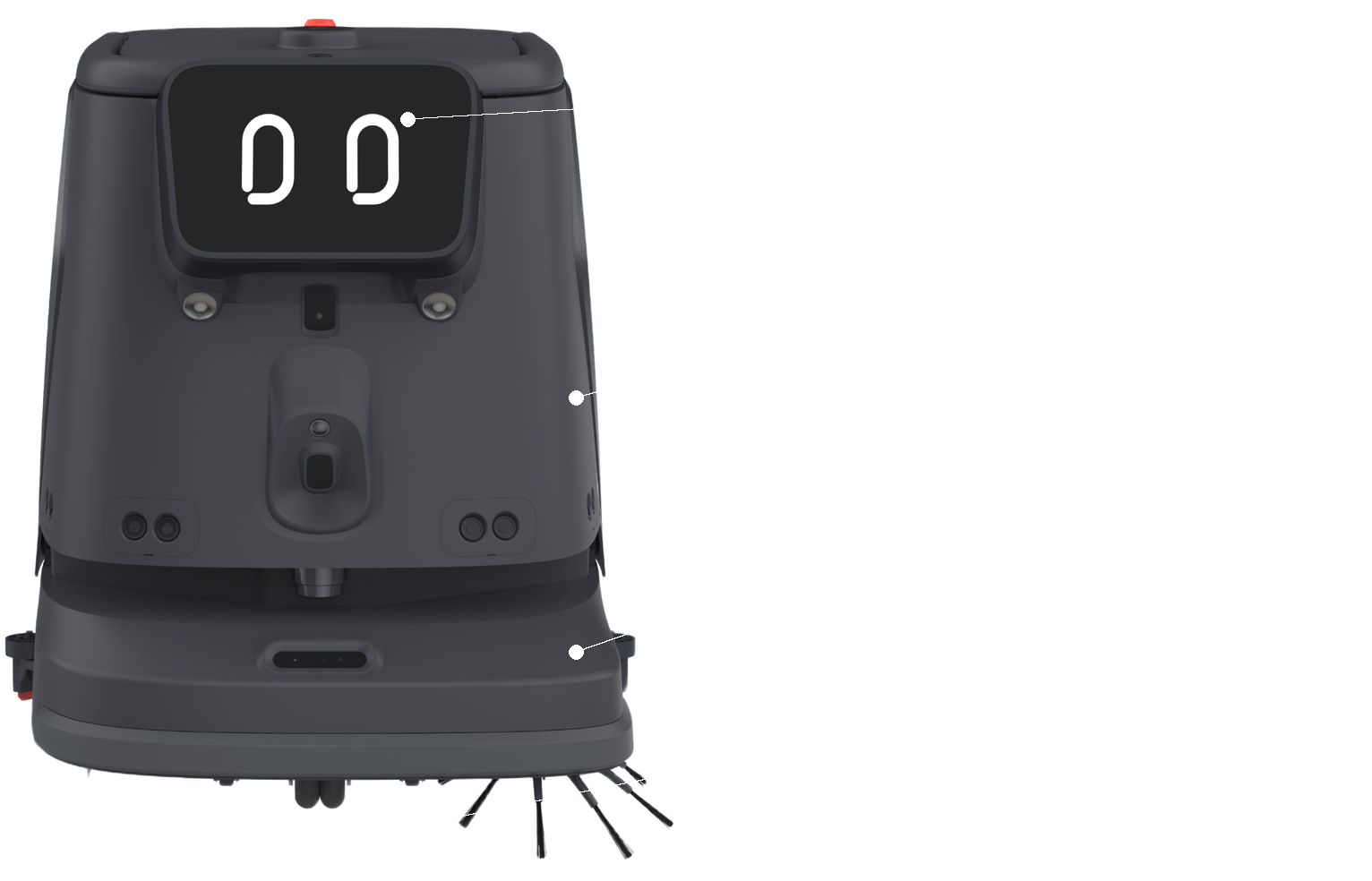
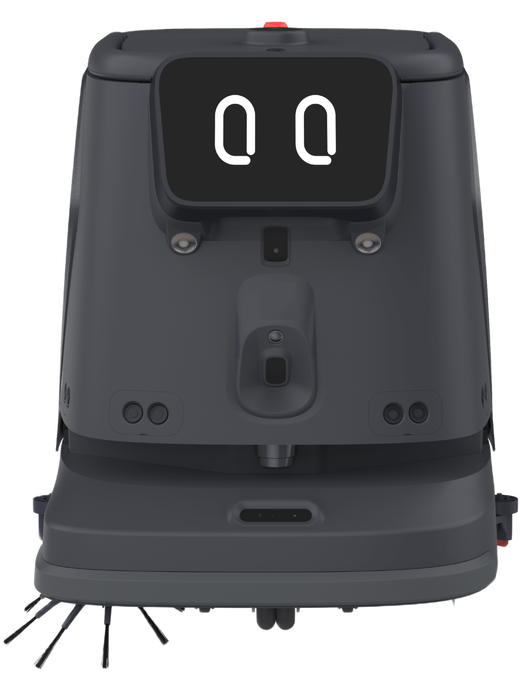
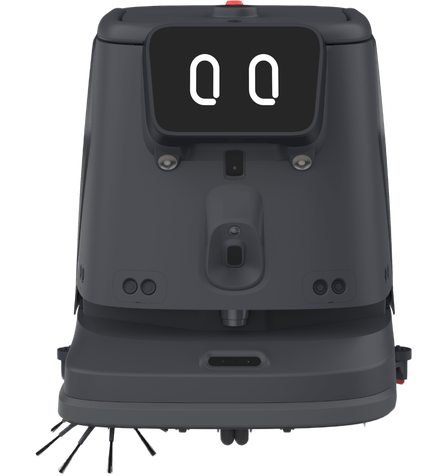
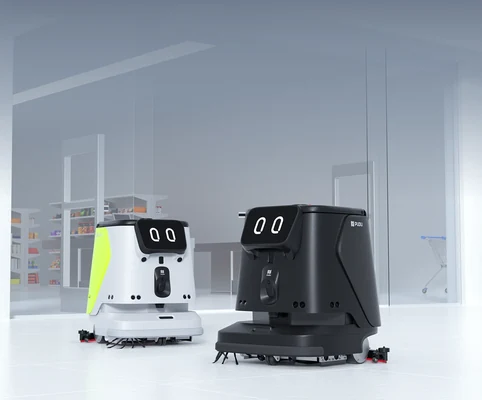
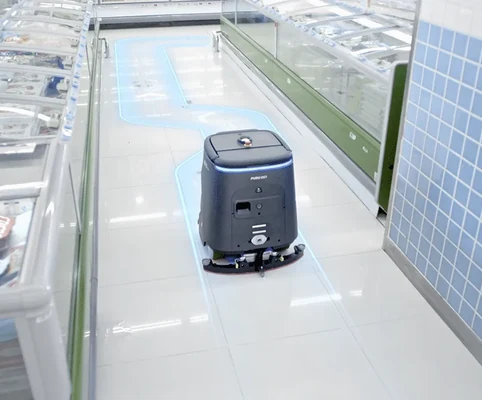
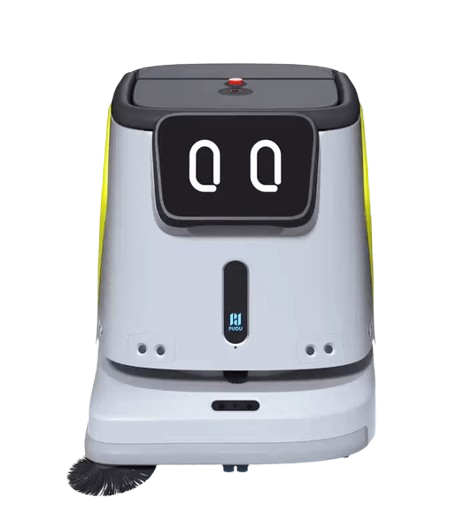
The PUDU CC1 Pro brings together AI vision, autonomous navigation, self-monitoring cleaning hardware and data-rich reporting to deliver scalable autonomous cleaning for large commercial spaces. It detects and scrubs common wet stains, checks its own results with a rear AI camera, and handles water and charging at its workstation.
Best for
AI-driven cleaning of large commercial floors
Primary task
Spot scrubbing, sweeping and vacuuming
Environment
Malls, hotels, hospitals, airports, office buildings and supermarkets
Deployment type
Mapped autonomous deployment, with SPARK site assessment, training and ongoing support
Keep large commercial floors clean without checking every area by hand
Busy venues produce spills and stains throughout the day, across hard floors and carpets that each need a different clean.
Spills and stains appear between scheduled cleans
Coffee spills, sauces and puddles can sit on the floor until someone notices and responds.
AI spot scrubbing.
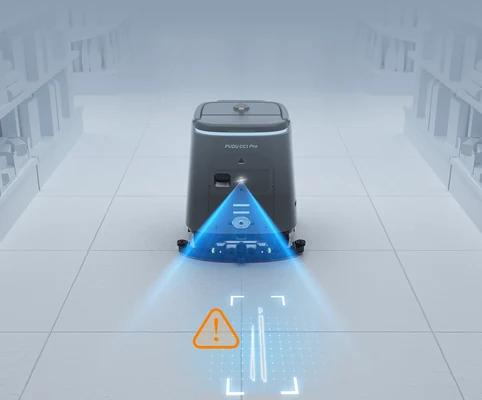
AI vision recognition with dynamic path planning detects common wet stains, so the CC1 Pro responds faster with more efficient coverage.
It can be hard to know how well an area was cleaned
Supervisors may need to walk the floor to confirm whether stains were fully removed.
Real-time performance detection
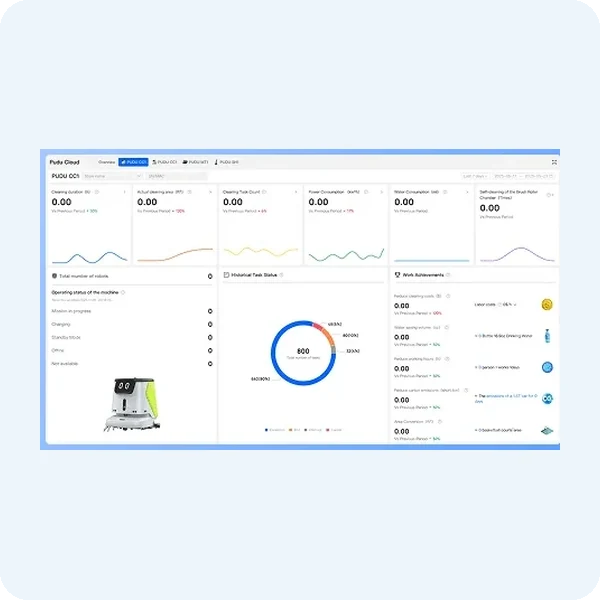
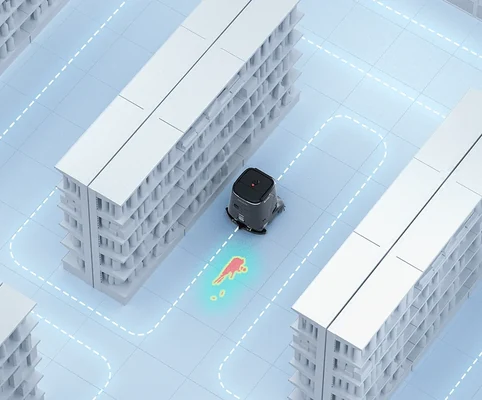
The rear AI camera monitors cleaning results, triggers spot re-cleaning for leftover stains and generates heatmaps after each task.
Refilling, draining and charging interrupt the cleaning process
Each manual stop adds another step before the robot can continue working.
Workstation automation
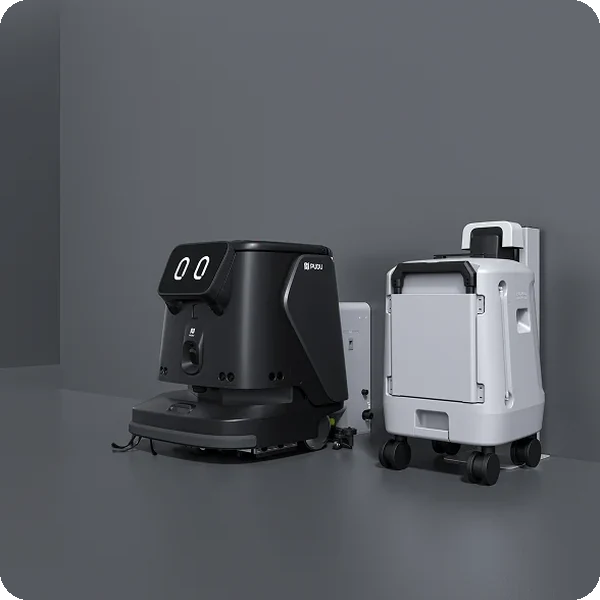
The workstation handles water refill and drainage automatically, and the CC1 Pro returns to its dock to charge for extended run time.
Different floors need a different clean
Carpets, hard floors and heavily soiled areas cannot all be cleaned the same way.
AI cleaning intensity control
The CC1 Pro adjusts scrubbing intensity to dirt levels and switches modes by floor type: vacuuming on carpets and sweep-and-vacuum on hard floors.
Key outcomes
AI-driven cleaning
Respond to spills and stains as they happen. The CC1 Pro recognises common wet stains and adjusts its cleaning intensity to the dirt it finds.
AI stain detection · dynamic path planning · intensity control · floor-type mode switching · 1,500–3,000 m²/h AI spot cleaning rate.
Keeps high-traffic floors presentable between scheduled cleans with faster response times.
Omni-Sense
Safety
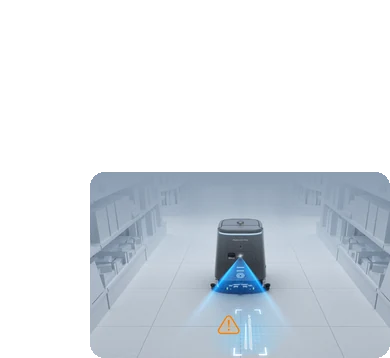
Clean safely around people and changing layouts. An AI-driven perception system constantly detects static and moving obstacles.
VSLAM+ positioning · multiple sensors · static and moving obstacle detection · automatic rerouting.
Its recognition model keeps expanding the obstacle types it understands, adapting to diverse environments.
Data Insights
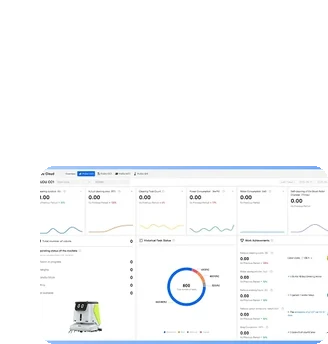
See exactly how cleaning is performing. Visual reports cover waste hotspots, cleaning coverage, stain persistence, task success and maintenance frequency.
Heatmaps after each task · fleet management · Pudu Link app · remote monitoring.
Enables data-driven scheduling and clearer reporting for supervisors.
Less routine servicing between cleaning tasks
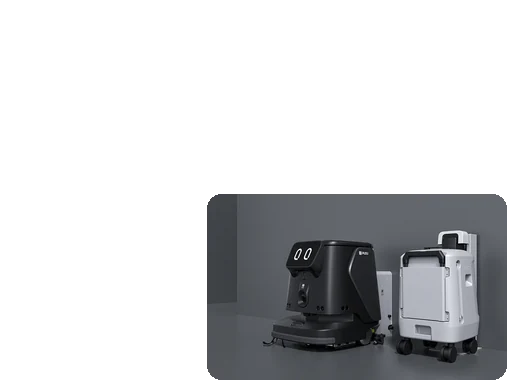
Automate more of the routine work that keeps the robot ready to clean. The CC1 Pro refills, drains and charges at its workstation.
Auto water refill · auto drainage · auto charging · AI component self-monitoring.
Reduces manual servicing steps and keeps longer cleaning workflows moving with less operator intervention.
What powers the CC1 Pro's AI-driven cleaning
AI spot scrubbing
Real-time performance detection
Smart navigation
Omni-Sense safety
Component self-monitoring
IoT compatibility
How it works
01.
Map or configure
Prepare the CC1 Pro for the space and cleaning task. The working environment is mapped and cleaning zones, modes and schedules are configured.
What the CC1 Pro handles
Uses VSLAM+ positioning and its sensors to understand the environment and support autonomous operation.
Where people step in
Initial mapping and configuration require human input.
The exact SPARK deployment process TBC
02.
Run the workflow
Let the CC1 Pro carry out the cleaning task autonomously. It detects stains, adjusts intensity by floor type and refills, drains and charges at its workstation.
What the CC1 Pro handles
Carries out autonomous cleaning, AI spot scrubbing, obstacle avoidance and automatic charging.
Where people step in
People step in for situations outside the configured workflow or where manual attention is required. Exact exception and takeover procedures TBC
03.
Monitor and improve
Keep the cleaning workflow aligned with your site. Heatmaps and visual reports show coverage, stain persistence and task success.
What the CC1 Pro handles
Generates heatmaps and reports, and monitors its own cleaning components.
Where people step in
People remain responsible for reviewing performance and deciding when adjustments, maintenance or further configuration are needed. TBC
Use cases and environments
Hotels & Resorts
Autonomous cleaning of lobbies, corridors and public areas, with AI spot scrubbing for spills.
Restaurants & Food Courts
Fast response to sauces, drinks and food spills across busy dining floors.
Leisure & Entertainment
Reliable floor care for busy venues, with obstacle detection around guests.
Shopping Malls
Large-area cleaning of concourses and walkways, with AI stain detection between scheduled cleans.
Supermarkets & Retail
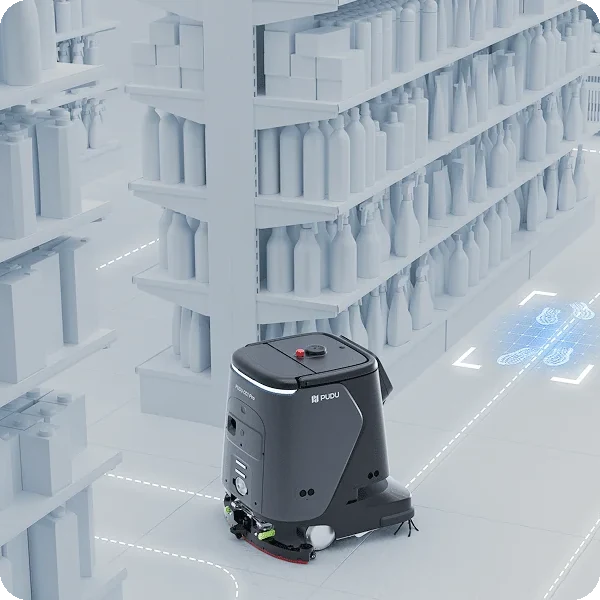
Spot scrubbing in aisles where spills happen, with mode switching by floor type.
Airports & Transport Hubs
High-coverage cleaning of terminals, with E-gate control for moving between zones.
Healthcare & Hospitals
Consistent cleaning of public areas, with heatmaps and reports for hygiene records.
Schools & Universities
Autonomous cleaning of corridors, halls and communal areas.
Government Facilities
Routine floor cleaning for public buildings, managed through the Pudu Link app.
Warehouse Offices
Autonomous cleaning of offices, welfare areas and walkways within logistics sites.
Distribution Centres
Keeps reception, break and admin areas clean while staff focus on operations.
Multi-floor Sites
Elevator control lets the CC1 Pro move between floors of larger facilities.
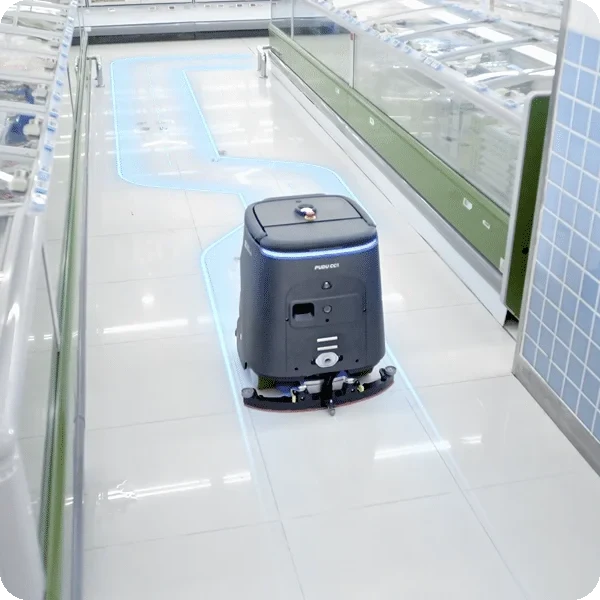
Product in action
CC1 Pro AI-powered cleaning in action
Technical specifications
Specification
- Cleaning functions
- AI spot cleaning rate
- Cleaning efficiency
- Cleaning width
- Cruise speed
- Stain detection
- Intensity control
- Operation noise
CC1 Pro
- Scrubbing, sweeping and vacuuming
- 1,500–3,000 m²/h
- 700–1,000 m²/h
- 500 mm | 19.7 in
- 0.2–1.2 m/s
- AI vision recognition
- Adjusts to dirt level and floor type
- TBC
Specification
- Machine dimensions
- Machine weight
- Water tank
- Min. passing space
- Waste water tank
- Dust box capacity
- Workstation
- Body colour
CC1 Pro
- 629 × 552 × 695 mm
- 75 kg | 165 lbs
- 15 L | 4 gal
- 70 cm | 27.6 in
- TBC
- TBC
- Auto water refill and drainage
- TBC
Specification
- Positioning system
- Sensors
- Obstacle detection
- Rerouting
- Rear AI camera
- Path planning
- Safety system
- Safety certification
CC1 Pro
- VSLAM+
- Multiple sensors
- Static and moving obstacles
- Automatic
- Real-time cleaning performance detection
- Dynamic path planning
- Omni-Sense AI perception
- TBC
Specification
- Run time
- Charging time
- Battery capacity
- Auto charging
- Charging method
- Battery type
- Rated voltage
- Breakpoint resume
CC1 Pro
- 5 hours
- 3 hours
- 50 Ah
- Returns to dock automatically
- Docking station / workstation
- TBC
- TBC
- TBC
Specification
- App
- Remote monitoring
- Reports
- Fleet management
- E-gate control
- Elevator control
- Network
- Software updates
CC1 Pro
- Pudu Link app
- Cloud and mobile interface
- Heatmaps, coverage, stain persistence, task success
- Supported
- Supported
- Supported
- TBC
- TBC
Specification
- Floor types
- Environment
- Min. passing space
- Ingress protection
- Operating temperature
- Max. slope
- Max. threshold height
- Operation noise
CC1 Pro
- Hard floors and carpets
- Indoor commercial spaces
- 70 cm | 27.6 in
- TBC
- TBC
- TBC
- TBC
- TBC
Specification
- Workstation
- Charging dock
- Self-cleaning docking station
- Pudu Link app
- Brushes
- Filters
- Detergent
- Spare parts kit
CC1 Pro
- Automatic water refill and drainage
- Automatic charging
- Available for the CC1 series
- Included
- TBC
- TBC
- TBC
- TBC
Deployment and integration
From site survey to launch, SPARK prepares your robot for your site, your workflow and your team.

01 — Site survey
We assess your requirements and site conditions to help plan your robot deployment.

02 — Mapping
The operating area is mapped for autonomous operation before handover.

03 — Workflow design
We develop a deployment plan around your site and operational requirements.

04 — Integration
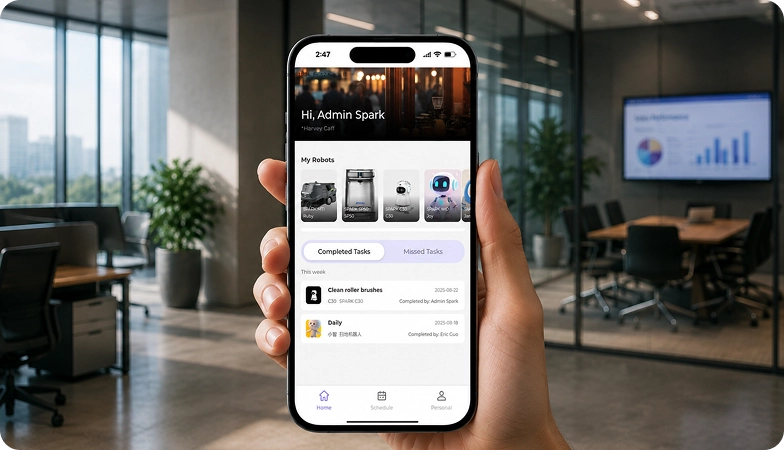
Integration requirements are assessed for each deployment, while tasks, schedules and reports are managed through the app.
05 — Training
SPARK provides user training as part of its after-sales support.
06 — Launch
Launch follows completion of site preparation, mapping, workflow setup and training.

Site Assessment
Understand the facility, floor types, traffic patterns and operational requirements.

Robot Deployment
Introduce the robot into daily operations with minimal disruption.

Mapping
Configure operating areas and routes according to the environment.
Remote Monitoring
Monitor robot operations and receive performance information through the app.

Training & Handover
Provide operators with the knowledge needed to manage the robot day to day.

Ongoing Optimization
Adapt maps and update software as the facility evolves.

Training & Handover
Provide operators with the knowledge needed to manage the robot day to day.

Remote Monitoring
Monitor robot operations and receive performance information through the app.

Ongoing Optimization
Adapt maps and update software as the facility evolves.

Site Assessment
Understand the facility, floor types, traffic patterns and operational requirements.

Mapping
Configure operating areas and routes according to the environment.

Robot Deployment
Introduce the robot into daily operations with minimal disruption.
What SPARK adds
We are not a box shifter. Deployment covers site survey, mapping, workflow design, integration planning, training and launch — so your robot arrives configured for your building rather than dropped at your loading bay.
If the survey shows the robot is wrong for your site, we will say so.
upSPARK and ongoing support
From installation and user training to software updates and on-site maintenance, we provide full after-sales support.

Technology That Keeps Improving
Every SPARK robot is managed through its manufacturer app and cloud platform, where operators can schedule tasks, monitor each robot remotely and review performance reports. SPARK supports you from installation and training through to software updates and maintenance.

maintenance tasks
Routine maintenance is kept simple, with clear schedules for brushes, filters, tanks and other consumables. SPARK guides your team through each task so the robot stays ready to work.

scheduling
Tasks and schedules can be set and adjusted through the app or control panel, so the robot works at the times that suit your site, including out of hours.

guided maintenance
SPARK provides step-by-step guidance for maintenance tasks, helping your team keep the robot running reliably with minimal downtime.

expert support
Our UK-based team provides expert after-sales support, including troubleshooting, on-site maintenance and help with optimising your robot routines.
Safety, compliance and governance
Compliance
Certification and conformity
Declaration of Conformity and certification documents for this robot are available on request for technical and procurement review.
Obstacle handling and safety
360° Environmental Awareness
SPARK robots use onboard sensors to detect obstacles, slow down or stop, and reroute where required. Detailed safety behaviour is covered in the product documentation.
Operating boundaries
Mapped operating areas
The robot operates within the mapped areas and configured routes set up during deployment. Operating conditions are listed in the technical specifications above.
Data and privacy
App and cloud management
Tasks, schedules and reports are managed through the manufacturer app and cloud platform. Details of data handling and privacy are shared as part of deployment planning.
Documents for review
Documentation pack
The user manual, specification sheet and conformity documentation can be shared for technical and procurement review.
Choosing between Spark cleaning robots
CC1
CC1 Pro
Phantas
Frequently asked questions
Questions about using the CC1 Pro at your site
What type of facilities can the CC1 Pro clean?
The CC1 Pro is designed for large commercial environments such as shopping malls, hotels, hospitals, airports and office buildings, on both hard floors and carpets.
How long can the CC1 Pro operate?
The CC1 Pro runs for around 5 hours on a full charge and takes about 3 hours to recharge, returning to its dock automatically when power is low.
How does the CC1 Pro find and clean stains?
AI vision recognition with dynamic path planning detects common wet stains such as coffee spills, sauces and puddles, and the CC1 Pro scrubs them as part of its route.
How does the CC1 Pro check its own cleaning?
A rear AI camera monitors cleaning performance in real time, detects leftover stains, triggers spot re-cleaning and generates heatmaps after each task.
How does the CC1 Pro navigate?
The CC1 Pro uses VSLAM+ positioning and multiple sensors, with an AI perception system that detects static and moving obstacles and reroutes automatically.
Can the CC1 Pro move between floors?
Yes. Through its IoT integrations the CC1 Pro supports elevator control and E-gate control, managed with the Pudu Link app.
How do I request engineering support if there is a problem?
Contact the SPARK support team. We provide after-sales support including troubleshooting, software updates and on-site maintenance for your CC1 Pro.