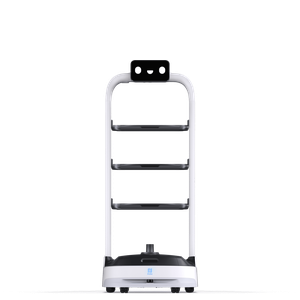
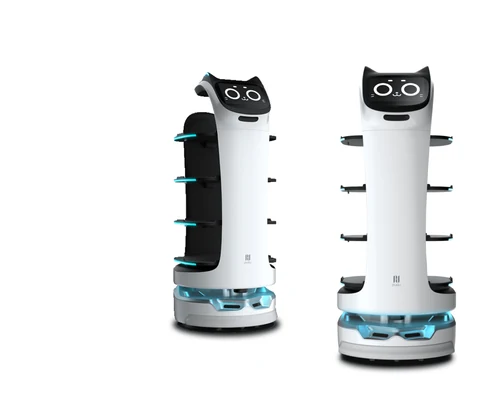

- Best for restaurants, hotels and offices
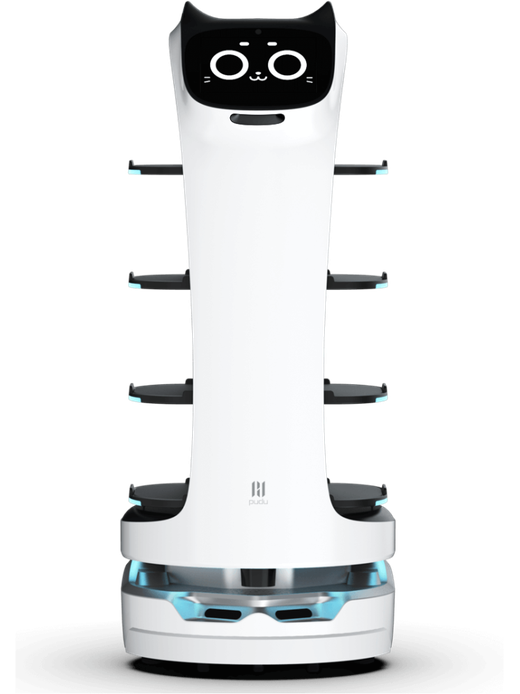
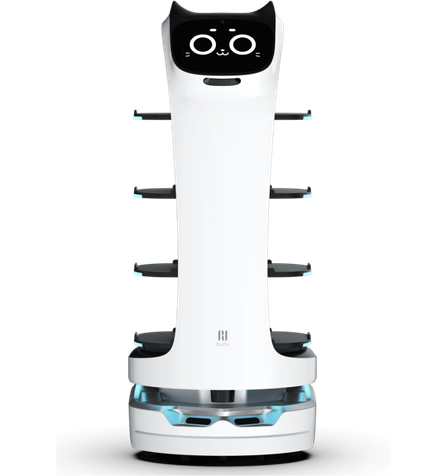
- Carries up to 40 kg across four trays
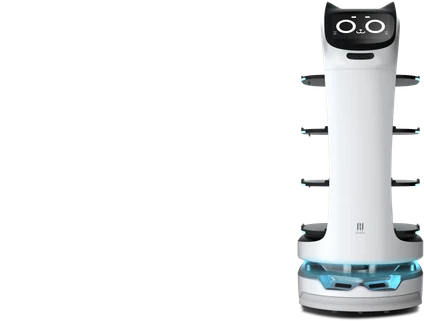
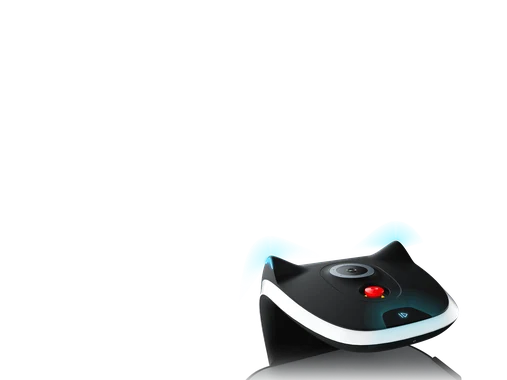
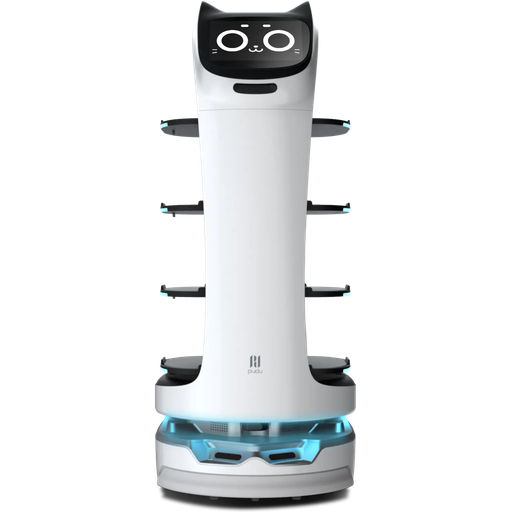
- Friendly cat-face design with voice and touch interaction
Automate food and item delivery with the BellaBot
BellaBot is a premium delivery robot from Pudu with superior human-robot interaction. Its bionic cat-face design, multimodal interaction, dual SLAM navigation and 3D obstacle avoidance deliver food and items reliably while giving guests a novel, friendly experience.
Best for
Food and item delivery
Primary task
Table delivery, returns and guidance
Environment
Restaurants, hotels, offices, canteens and leisure venues
Deployment type
Mapped autonomous deployment, with SPARK site assessment, training and ongoing support
Keep service fast at peak times without overloading your team
Restaurants and hotels need dishes and items delivered quickly, while staff are stretched across tables, guests and kitchens.
Staff spend peak hours walking dishes to tables
Repetitive delivery trips take waitstaff away from guests.
Efficient delivery & service.
BellaBot automates food and item delivery in restaurants, hotels and offices, reducing wait times and complementing staff at busy periods.
Crowded dining rooms are hard to navigate
Guests, chairs and changing layouts make autonomous delivery tricky.
Dual SLAM navigation
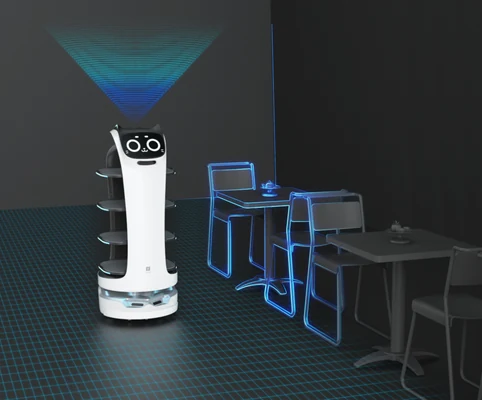
BellaBot supports both LiDAR and visual SLAM positioning and navigation, adapting accurately to more scenarios.
Low and overhanging obstacles cause collisions
Bags, table edges and children are easy for simple sensors to miss.
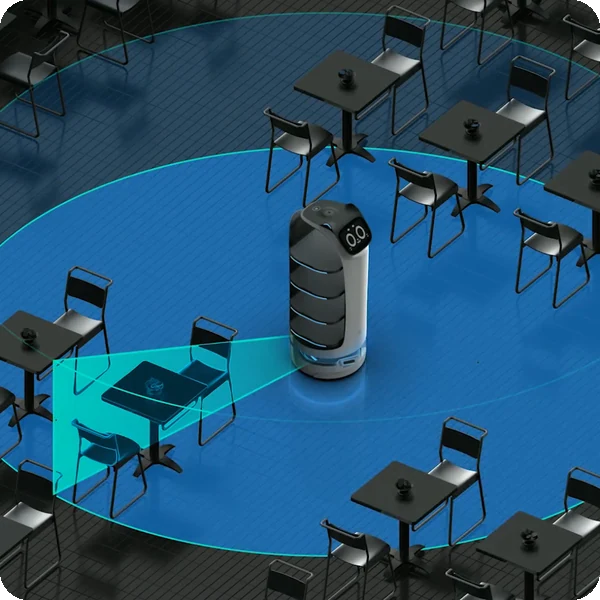
3D omnidirectional obstacle avoidance
Three RGBD cameras and the LiDAR detect low-lying and overhanging obstacles, stopping in as little as 0.5 seconds.
Spills happen on uneven floors
Thresholds and bumps can tip drinks and dishes during delivery.
Auto-level suspension
Automotive-grade independent suspension adjusts damping to floor conditions for smooth, stable delivery.
Key outcomes
Increased customer satisfaction
Give guests faster, more memorable service. BellaBot’s friendly design and consistent performance improve the overall experience.
Cat-themed expressive face · voice interaction · haptic ear-touch feedback · inbuilt lights · 10″ front and 18″ back displays.
Faster service and a novel experience help improve guest satisfaction.
Advanced
Navigation
Move confidently through busy spaces. LiDAR, SLAM and 3D sensors enable precise navigation and smooth obstacle avoidance.
Visual SLAM · laser SLAM · 3 RGBD cameras · 0.5 s obstacle response · modular chassis.
Adapts smoothly to crowded environments.
Fleet & Cloud
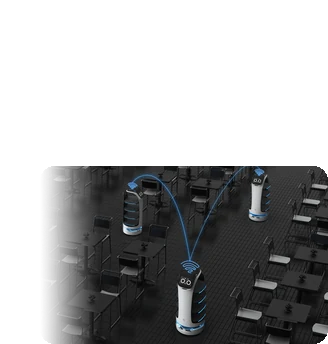
Run several robots together. PUDU SCHEDULER lets each robot communicate directly with others on the network.
Decentralised ad hoc network · multi-robot coordination · low network requirements · cloud management.
Scales from one robot to a coordinated fleet.
Labour cost reduction
Free staff for higher-value work. BellaBot takes on repetitive delivery and return trips.
40 kg load (10 kg per tray) · 12–24 h battery life · ~4.5 h charging · adjustable 0.5–1.2 m/s speed.
Complements human staff, especially in high-demand periods.
What powers the BellaBot's delightful delivery
Sleek modern design
Dual SLAM solution
3D obstacle avoidance
Multimodal interaction
PUDU SCHEDULER
Auto-level suspension
How it works
01.
Map or configure
Prepare BellaBot for your venue. The space is mapped, tables and stations are set up, and delivery and return workflows are configured.
What the BellaBot handles
Uses LiDAR and visual SLAM to map and localise itself in the venue.
Where people step in
Initial mapping and table set-up require human input.
The exact SPARK deployment process TBC
02.
Run the workflow
Staff load the trays and send BellaBot to a table. It navigates to the destination, announces arrival and returns once guests have collected their order.
What the BellaBot handles
Carries out delivery, return and guidance trips with obstacle avoidance and multi-robot scheduling.
Where people step in
Staff load trays and assign destinations; guests collect items at the table. Exact exception procedures TBC
03.
Monitor and improve
Keep service aligned with your venue as layouts and volumes change, managing robots through the cloud.
What the BellaBot handles
Coordinates with other robots through PUDU SCHEDULER and reports status.
Where people step in
People remain responsible for reviewing performance and deciding when adjustments, maintenance or further configuration are needed. TBC
Use cases and environments
Product in action
BellaBot visual SLAM navigation
BellaBot laser SLAM navigation
BellaBot 3D obstacle avoidance
Technical specifications
Specification
- Max. load
- Trays
- Speed
- Obstacle response
- Workflows
- Multi-robot
- Interaction
- Noise
BellaBot
- 40 kg (10 kg per tray)
- 4
- Adjustable 0.5–1.2 m/s
- As short as 0.5 s
- Delivery, return, guidance
- PUDU SCHEDULER
- Voice, lights, touch, haptic feedback
- TBC
Specification
- Machine dimensions
- Machine weight
- Material
- Display
- Suspension
- Chassis
- Tray size
- Min. passing width
BellaBot
- 565 × 537 × 1290 mm
- ~55–57 kg
- ABS + aerospace-grade aluminium alloy
- Cat-face panel: 10″ front + 18″ back LCDs
- Automotive-grade independent, auto-level
- Modular
- TBC
- TBC
Specification
- Navigation
- 3D perception
- Obstacle avoidance
- Stop and avoid
- Fleet scheduling
- Interaction
- Elevator integration
- Safety certification
BellaBot
- LiDAR SLAM and visual SLAM
- 3 RGBD cameras + LiDAR
- 3D omnidirectional, low and overhanging
- Stops at any angle, then moves away
- Decentralised ad hoc network
- Multimodal
- TBC
- TBC
Specification
- Battery life
- Charging time
- Charging method
- Battery type
- Battery capacity
- Auto charging
- Rated voltage
- Swappable battery
BellaBot
- 12–24 h
- ~4.5 h
- TBC
- TBC
- TBC
- TBC
- TBC
- TBC
Specification
- Fleet & cloud
- Robot-to-robot communication
- Network requirements
- Remote management
- Calling devices
- Network
- Software updates
- Third-party integration
BellaBot
- Supported
- Direct, no central node
- Low
- Cloud
- TBC
- TBC
- TBC
- TBC
Specification
- Environment
- Floors
- Crowded spaces
- Ingress protection
- Operating temperature
- Max. slope
- Max. threshold height
- Min. passage width
BellaBot
- Indoor restaurants, hotels, offices
- Indoor floors and thresholds (auto-level suspension)
- Supported
- TBC
- TBC
- TBC
- TBC
- TBC
Specification
- Trays
- Displays
- Charging pile
- Pager / watch
- Custom tray covers
- Advertising content
- Spare battery
- Spare parts kit
BellaBot
- 4 trays, 10 kg each
- 10″ front + 18″ back
- TBC
- TBC
- TBC
- TBC
- TBC
- TBC
Deployment and integration
From site survey to launch, SPARK prepares your robot for your site, your workflow and your team.

01 — Site survey
We assess your requirements and site conditions to help plan your robot deployment.

02 — Mapping
The operating area is mapped for autonomous operation before handover.
03 — Workflow design
We develop a deployment plan around your site and operational requirements.

04 — Integration
Integration requirements are assessed for each deployment, while tasks, schedules and reports are managed through the app.
05 — Training
SPARK provides user training as part of its after-sales support.
06 — Launch
Launch follows completion of site preparation, mapping, workflow setup and training.
Site Assessment
Understand the facility, floor types, traffic patterns and operational requirements.
Robot Deployment
Introduce the robot into daily operations with minimal disruption.
Mapping
Configure operating areas and routes according to the environment.
Remote Monitoring
Monitor robot operations and receive performance information through the app.

Training & Handover
Provide operators with the knowledge needed to manage the robot day to day.

Ongoing Optimization
Adapt maps and update software as the facility evolves.

Training & Handover
Provide operators with the knowledge needed to manage the robot day to day.

Remote Monitoring
Monitor robot operations and receive performance information through the app.

Ongoing Optimization
Adapt maps and update software as the facility evolves.

Site Assessment
Understand the facility, floor types, traffic patterns and operational requirements.

Mapping
Configure operating areas and routes according to the environment.

Robot Deployment
Introduce the robot into daily operations with minimal disruption.
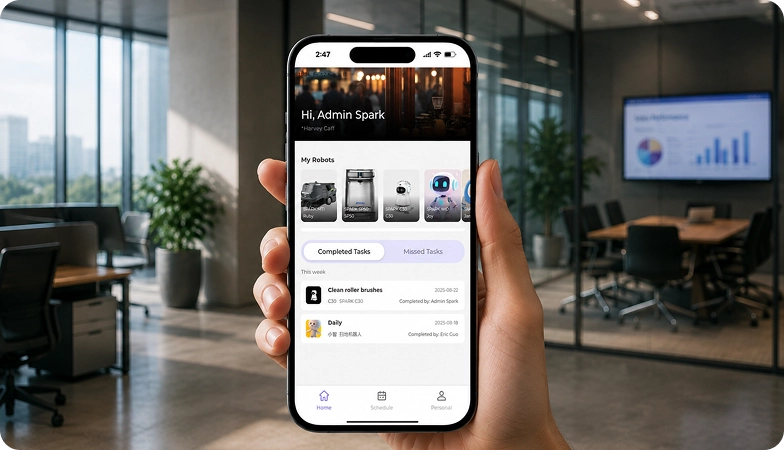
What SPARK adds
We are not a box shifter. Deployment covers site survey, mapping, workflow design, integration planning, training and launch — so your robot arrives configured for your building rather than dropped at your loading bay.
If the survey shows the robot is wrong for your site, we will say so.
upSPARK and ongoing support
From installation and user training to software updates and on-site maintenance, we provide full after-sales support.

Technology That Keeps Improving
Every SPARK robot is managed through its manufacturer app and cloud platform, where operators can schedule tasks, monitor each robot remotely and review performance reports. SPARK supports you from installation and training through to software updates and maintenance.

maintenance tasks
Routine maintenance is kept simple, with clear schedules for brushes, filters, tanks and other consumables. SPARK guides your team through each task so the robot stays ready to work.

scheduling
Tasks and schedules can be set and adjusted through the app or control panel, so the robot works at the times that suit your site, including out of hours.

guided maintenance
SPARK provides step-by-step guidance for maintenance tasks, helping your team keep the robot running reliably with minimal downtime.

expert support
Our UK-based team provides expert after-sales support, including troubleshooting, on-site maintenance and help with optimising your robot routines.
Safety, compliance and governance
Compliance
Certification and conformity
Declaration of Conformity and certification documents for this robot are available on request for technical and procurement review.
Obstacle handling and safety
360° Environmental Awareness
SPARK robots use onboard sensors to detect obstacles, slow down or stop, and reroute where required. Detailed safety behaviour is covered in the product documentation.
Operating boundaries
Mapped operating areas
The robot operates within the mapped areas and configured routes set up during deployment. Operating conditions are listed in the technical specifications above.
Data and privacy
App and cloud management
Tasks, schedules and reports are managed through the manufacturer app and cloud platform. Details of data handling and privacy are shared as part of deployment planning.
Documents for review
Documentation pack
The user manual, specification sheet and conformity documentation can be shared for technical and procurement review.
Choosing between Spark delivery robots
BellaBot
BellaBot Pro
PuduBot 2
HolaBot
Frequently asked questions
Questions about using the BellaBot at your site
Where can BellaBot be used?
BellaBot automates food and item delivery in restaurants, hotels, offices, canteens and other indoor venues.
How much can BellaBot carry?
Up to 40 kg across four trays, with 10 kg per tray.
How long can BellaBot operate?
BellaBot runs for 12–24 hours on a charge and recharges in about 4.5 hours.
How does BellaBot navigate crowded spaces?
It supports both LiDAR and visual SLAM, with 3 RGBD cameras for 3D obstacle avoidance and a response time as short as 0.5 seconds.
Can several BellaBots work together?
Yes. PUDU SCHEDULER lets each robot communicate directly with others on the same network for quick, coordinated decisions.
How do guests interact with BellaBot?
Through its expressive cat face, voice, inbuilt lights and haptic ear-touch feedback.
How do I request engineering support if there is a problem?
Contact the SPARK support team. We provide after-sales support including troubleshooting, software updates and on-site maintenance for your BellaBot.