




HUMANOID ROBOTS

G2

Industrial-Grade Embodied Operation Robot

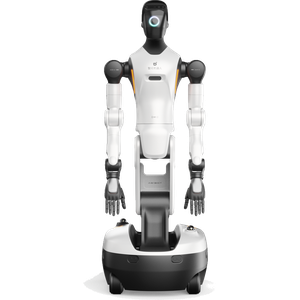
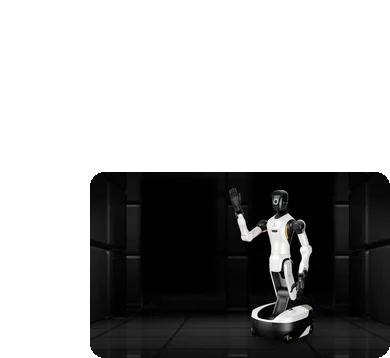
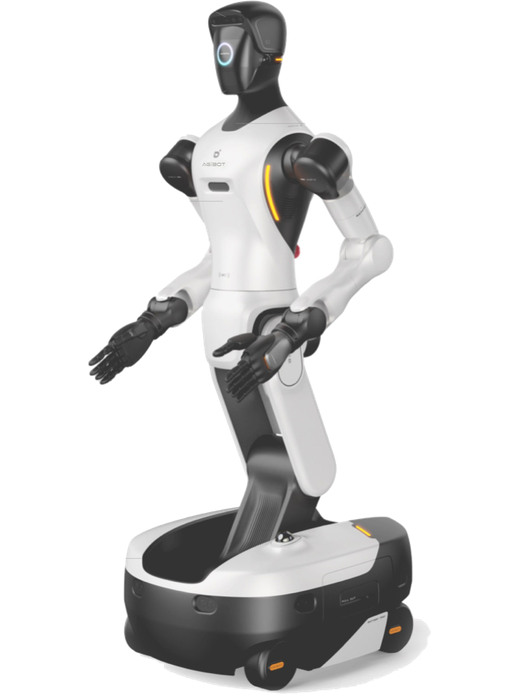
AGIBOT G2 front view

Put embodied AI to work with the G2

AGIBOT G2 is an industrial-grade, interactive embodied operation robot. Built from 100% automotive-grade components with IP42 protection, it pairs two 7-DOF force-controlled arms with an omnidirectional chassis, a 3-DOF waist and 2-DOF legs, so it can handle precise assembly, material handling and customer interaction around the clock.

Best for

Precise manipulation tasks

Primary task

Assembly, handling and interaction

Environment

Factories, warehouses, labs, retail and public spaces

Deployment type

Task-trained deployment, with SPARK site assessment, training and ongoing support

Automate manual tasks that fixed automation cannot reach

Many production and service tasks still need human-like reach, precision and flexibility.

Fixed automation is inflexible

Traditional cells are costly to re-tool for new tasks.

Rapid deployment with Genie RL.

Embodied intelligence and reinforcement learning let G2 learn new tasks quickly instead of re-engineering the line.

AGIBOT G2 cleaning in use

Delicate tasks need a human touch

Assembly and handling require precise, gentle force.

High-precision force control

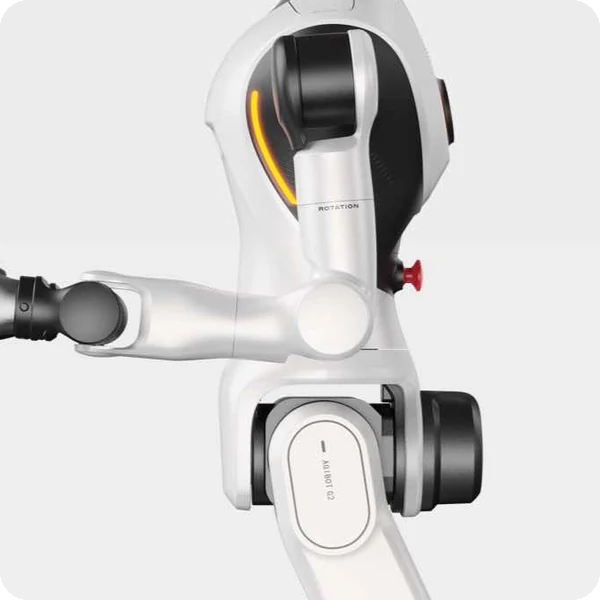
Two 7-DOF force-controlled arms with full joint torque sensing deliver sub-millimetre precision assembly.

Robots stop to recharge

Downtime breaks continuous production.

24/7 continuous operation

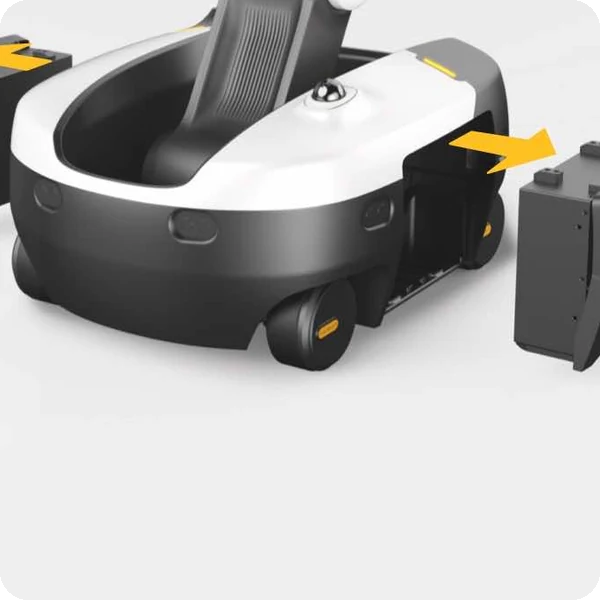
Dual hot-swappable batteries, pass-through charging and automatic return-to-dock charging keep G2 working.

AGIBOT G2 cleaning in use

People and robots share the floor

Collaborative work needs reliable safety.

Active and passive safety

3 fisheye cameras, 2 LiDAR sensors and 8 ultrasonic sensors with arm collision detection protect people nearby.

Key outcomes

Industrial-grade build

Operate reliably in demanding environments.

100% automotive-grade components · IP42 full-machine protection · joint torque sensors.

Built to industrial quality standards.

AGIBOT G2

Precise
Manipulation

Handle parts and tools with human-like dexterity.

2 × 7-DOF force-control arms · 5 kg rated arm load · optional dexterous hands up to 19 DOF.

Takes on assembly and handling tasks.

AGIBOT G2

Flexible mobility

Move anywhere on the floor and reach high or low.

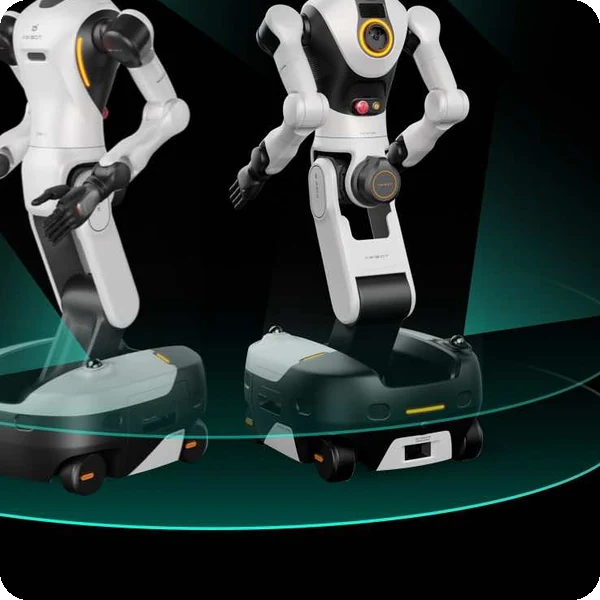
Omnidirectional chassis · crab walk · in-place rotation · 1.5 m/s · height 1225–1795 mm.

Works across stations without fixed infrastructure.

AGIBOT G2

Continuous operation

Run multiple shifts without stopping.

2 batteries · 1652 Wh total · ≈ 4 h per pack set · ≤ 2.5 h charging · swapping and auto recharge.

Supports round-the-clock operations.

AGIBOT G2

What powers the G2's embodied operation

AGIBOT G2 key specifications

1:1 human-like motion

25 active degrees of freedom across the body replicate human operation and interaction postures.

7-DOF force-control arms

Human-like cross-wrist design with torque sensing in every joint and force-control accuracy under 0.5 N.

3-DOF waist + 2-DOF legs

Bending, tilting, twisting and stepping motions expand the upper-body operating space.
AGIBOT G2

Omnidirectional chassis

Four steerable wheels for in-place rotation and all-direction movement.

Powerful AI computing

NVIDIA Jetson T5000 with 2070 TFLOPS (FP4) for embodied intelligence on board.

Interactive intelligence

Expressive facial animations, multi-user conversation and eye-gaze tracking.

How it works

AGIBOT G2

01.

Map or configure

Prepare G2 for your site. The work area is mapped, stations are defined and tasks are trained with Genie RL and teleoperation.

What the G2 handles
Uses 2 LiDARs, fisheye and RGB-D cameras to perceive and localise.

Where people step in
Task training and station set-up require human input.
The exact SPARK deployment process TBC

02.

Run the workflow

G2 moves between stations, picks, places and assembles parts, or serves and interacts with customers.

What the G2 handles
Carries out manipulation, navigation, obstacle detection and automatic recharging.

Where people step in
Operators supervise, handle exceptions and can take over with the handheld wireless terminal. Exact procedures TBC

03.

Monitor and improve

Improve task performance over time with new training data and smart OTA upgrades.

What the G2 handles
Receives OTA upgrades and supports secondary development.

Where people step in
People remain responsible for reviewing performance and deciding when adjustments, maintenance or further configuration are needed. TBC

Use cases and environments

AGIBOT G2 in use

Precision Assembly

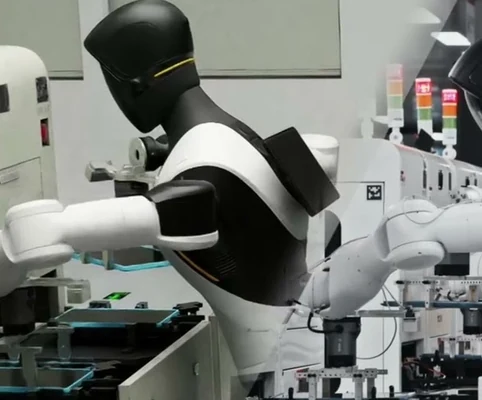
Sub-millimetre assembly with force control.

AGIBOT G2 in use

Electronics Lines

Handling tablets and components.

AGIBOT G2 in use

Machine Tending

Loading and unloading equipment.

AGIBOT G2 in use

Quality Checks

Inspecting and sorting parts.

AGIBOT G2 in use

Material Handling

Moving totes and parts between stations.

AGIBOT G2 in use

Picking

Grasping items from shelves.

AGIBOT G2 in use

Packing

Placing goods into containers.

AGIBOT G2 in use

Kitting

Preparing part sets for production.

AGIBOT G2 in use

Customer Service

Multi-user conversation and guidance.

AGIBOT G2 in use

Retail Stores

Presenting and handing over products.

AGIBOT G2 in use

Food & Beverage

Preparing and serving items.

AGIBOT G2 in use

Exhibitions

Interactive product demonstrations.

AGIBOT G2 in use

Embodied AI

Data collection and model training.

AGIBOT G2 in use

Laboratories

Repetitive lab handling tasks.

AGIBOT G2 in use

Universities

Robotics research platform.

AGIBOT G2 in use

Teleoperation

Beyond-visual-range remote operation.

Product in action

Technical specifications

Specification

G2

Specification

G2

Specification

G2

Specification

G2

Specification

G2

Specification

G2

Specification

G2

Deployment and integration

From site survey to launch, SPARK prepares your robot for your site, your workflow and your team.

01 — Site survey

We assess your requirements and site conditions to help plan your robot deployment.

02 — Mapping

The operating area is mapped for autonomous operation before handover.

03 — Workflow design

We develop a deployment plan around your site and operational requirements.

04 — Integration

Integration requirements are assessed for each deployment, while tasks, schedules and reports are managed through the app.

05 — Training

SPARK provides user training as part of its after-sales support.

06 — Launch

Launch follows completion of site preparation, mapping, workflow setup and training.

Site Assessment

Understand the facility, floor types, traffic patterns and operational requirements.

Robot Deployment

Introduce the robot into daily operations with minimal disruption.

Mapping

Configure operating areas and routes according to the environment.
Remote Monitoring

Monitor robot operations and receive performance information through the app.

Training & Handover

Provide operators with the knowledge needed to manage the robot day to day.

Ongoing Optimization

Adapt maps and update software as the facility evolves.

Training & Handover

Provide operators with the knowledge needed to manage the robot day to day.

Remote Monitoring

Monitor robot operations and receive performance information through the app.

Ongoing Optimization

Adapt maps and update software as the facility evolves.

Site Assessment

Understand the facility, floor types, traffic patterns and operational requirements.

Mapping

Configure operating areas and routes according to the environment.

Robot Deployment

Introduce the robot into daily operations with minimal disruption.
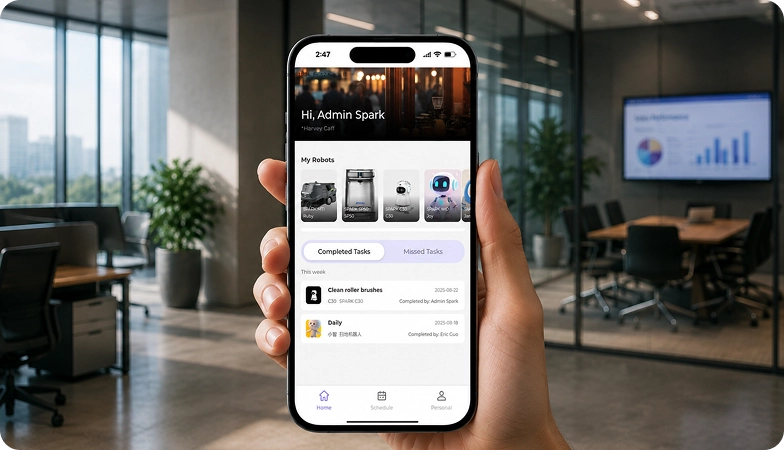
We are not a box shifter. Deployment covers site survey, mapping, workflow design, integration planning, training and launch — so your robot arrives configured for your building rather than dropped at your loading bay.

If the survey shows the robot is wrong for your site, we will say so.

upSPARK and ongoing support

From installation and user training to software updates and on-site maintenance, we provide full after-sales support.

Technology That Keeps Improving

Every SPARK robot is managed through its manufacturer app and cloud platform, where operators can schedule tasks, monitor each robot remotely and review performance reports. SPARK supports you from installation and training through to software updates and maintenance.

maintenance tasks

Routine maintenance is kept simple, with clear schedules for brushes, filters, tanks and other consumables. SPARK guides your team through each task so the robot stays ready to work.

scheduling

Tasks and schedules can be set and adjusted through the app or control panel, so the robot works at the times that suit your site, including out of hours.

guided maintenance

SPARK provides step-by-step guidance for maintenance tasks, helping your team keep the robot running reliably with minimal downtime.

expert support

Our UK-based team provides expert after-sales support, including troubleshooting, on-site maintenance and help with optimising your robot routines.

Safety, compliance and governance

Safety, compliance and operating information for technical and procurement review.

Compliance

Certification and conformity

Declaration of Conformity and certification documents for this robot are available on request for technical and procurement review.

UKCA marking, IP rating and any additional certification documents are confirmed per robot.

Obstacle handling and safety

360° Environmental Awareness

SPARK robots use onboard sensors to detect obstacles, slow down or stop, and reroute where required. Detailed safety behaviour is covered in the product documentation.

UKCA marking, IP rating and any additional certification documents are confirmed per robot.

Operating boundaries

Mapped operating areas

The robot operates within the mapped areas and configured routes set up during deployment. Operating conditions are listed in the technical specifications above.

UKCA marking, IP rating and any additional certification documents are confirmed per robot.

Data and privacy

App and cloud management

Tasks, schedules and reports are managed through the manufacturer app and cloud platform. Details of data handling and privacy are shared as part of deployment planning.

UKCA marking, IP rating and any additional certification documents are confirmed per robot.

Documents for review

Documentation pack

The user manual, specification sheet and conformity documentation can be shared for technical and procurement review.

UKCA marking, IP rating and any additional certification documents are confirmed per robot.

Choosing between Spark humanoid robots

AGIBOT X2 humanoid robot X2
AGIBOT X2 Ultra humanoid robot X2 Ultra
AGIBOT G2 wheeled humanoid robot G2
AGIBOT A3 full-size humanoid robot A3
Primary Task
Interaction & performances
Reception, guiding & interaction
Precise manipulation & handling
Stage performances & shows
Best For
Showrooms, events & education
Receptions, retail & exhibitions
Factories, logistics & labs
Events, theme parks & research
Height / Weight
1.31 m / 35 kg
1.31 m / 39 kg
1.23–1.80 m / 185 kg
1.73 m / 55 kg
Degrees of Freedom
25
31
25 active
TBC
Run Time
Approx. 2 hrs
Approx. 2 hrs
≈ 4 hrs
Up to 10 hrs
Autonomous Navigation
No
Yes (3D LiDAR + RGB-D)
Yes (2 LiDAR, fisheye)
UWB positioning
Standout Feature
Lifelike dance routines
Optional dexterous hands
7-DOF force-control arms
Somersaults, 100+ unit swarms

Frequently asked questions

Questions about using the G2 at your site

AGIBOT G2
What is the AGIBOT G2?

An industrial-grade wheeled humanoid robot with two 7-DOF force-controlled arms, built for precise manipulation and interaction.

Each arm has a rated load of 5 kg.

About 4 hours on its two batteries, which are hot-swappable; charging takes 2.5 hours or less, with automatic recharging on an optional dock.

With Genie RL reinforcement learning and teleoperation data, enabling rapid deployment on new tasks.

Yes. Fisheye cameras, two LiDARs, ultrasonic sensors and arm collision detection form an active and passive safety system.

Yes. Its omnidirectional chassis supports crab walk and in-place rotation at up to 1.5 m/s.

Contact the SPARK support team. We provide after-sales support including troubleshooting, software updates and on-site maintenance for your G2.

Tell us about your site

See whether the G2 is right for your operation. Tell us a little about your site and what you need, and our team will help you assess the right setup.