
SERVICE ROBOTS

BellaBot Pro

Premium Delivery & Advertising Robot

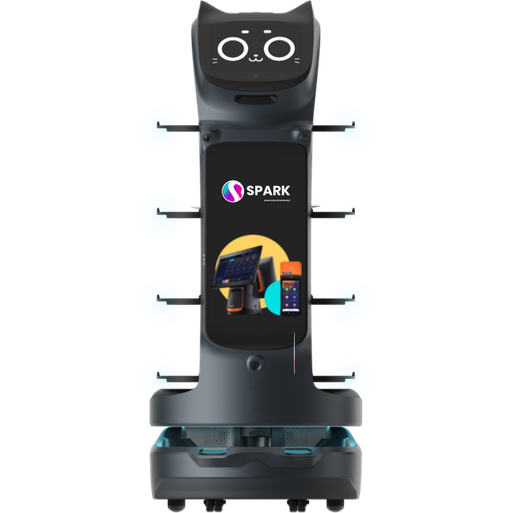
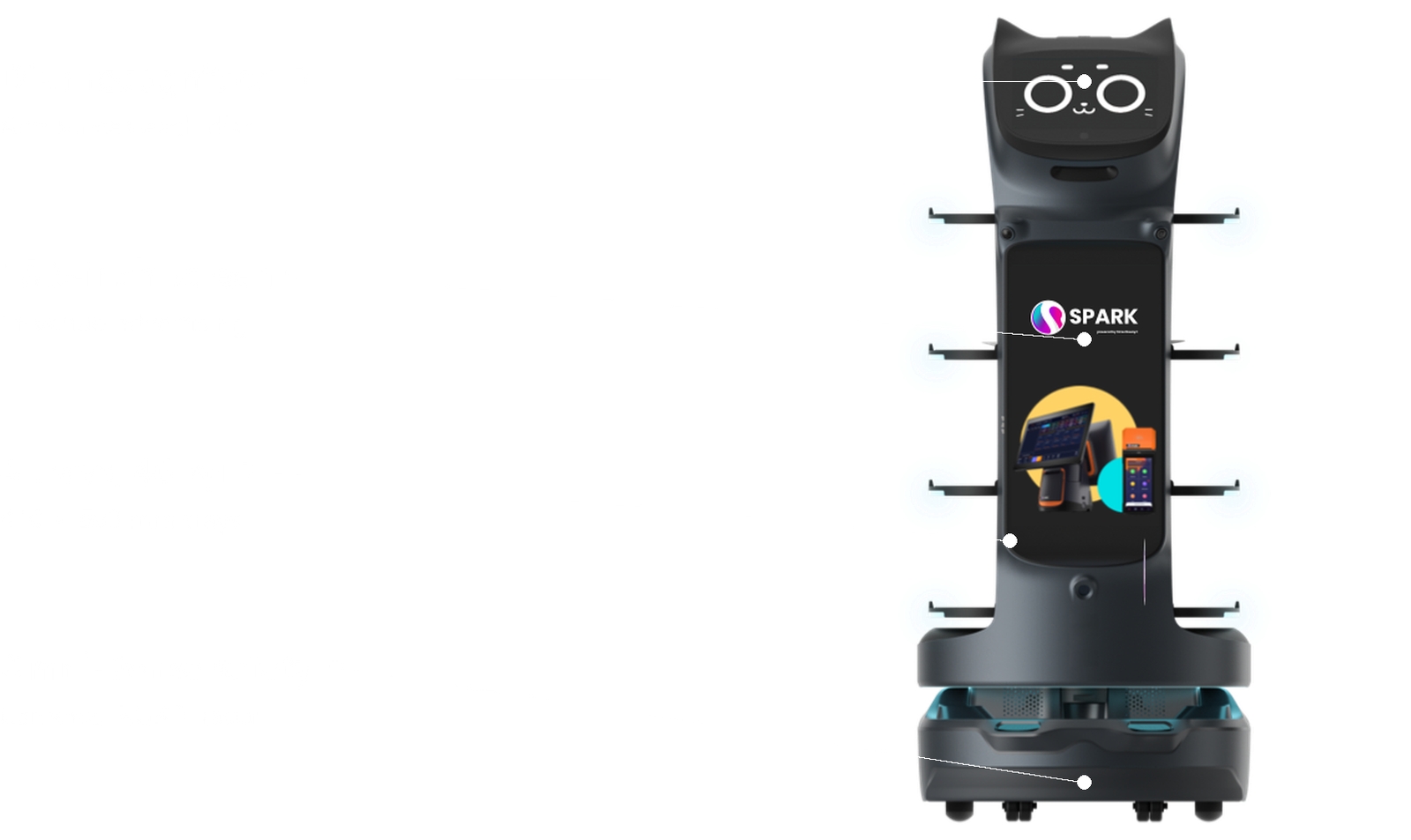
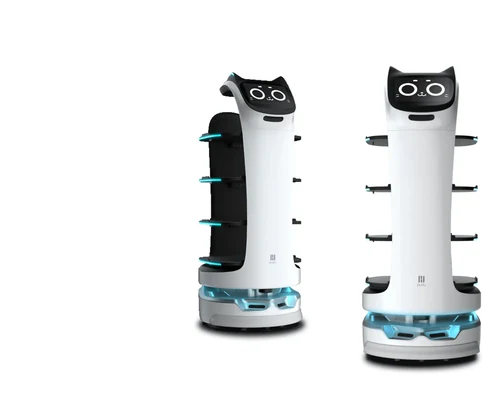
PUDU BellaBot Pro front view

Upgrade delivery and in-venue advertising with the BellaBot Pro

BellaBot Pro is Pudu’s latest premium delivery robot. It inherits BellaBot’s friendly bionic design and multimodal interaction, and adds dish recognition, tray guidance lighting, Omni-Sense safety, a vehicle-grade chassis and an 18.5-inch advertising screen for an even better delivery experience.

Best for

Delivery with in-venue advertising

Primary task

Table delivery and promotion

Environment

Restaurants, hotels, offices, shopping centres and leisure venues

Deployment type

Mapped autonomous deployment, with SPARK site assessment, training and ongoing support

Deliver faster and promote more without adding staff

Busy venues need accurate, safe delivery through tight spaces, and a way to promote dishes and offers to guests.

Guests take the wrong tray

Multi-tray deliveries can confuse guests about which dish is theirs.

Dish recognition & tray guidance.

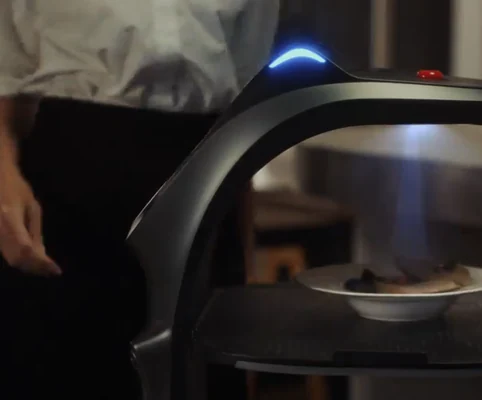
BellaBot Pro announces dish names and details, while tray and ambient lights show guests exactly which tray to take.

PUDU BellaBot Pro cleaning in use

Tight layouts slow delivery robots down

Narrow gaps between tables block larger robots.

65 cm agility

BellaBot Pro offers the smoothest mobility of its size, moving through 65 cm gaps in complex restaurant environments.

Blind corners risk collisions with people

Guests and staff appear suddenly at intersections.

Crosswalk caution

BellaBot Pro projects ground patterns near intersections to alert pedestrians, improving blind-spot safety.

PUDU BellaBot Pro cleaning in use

Obstacles near the floor are missed

Low objects in front of the chassis are hard to detect.

Omni-Sense safety

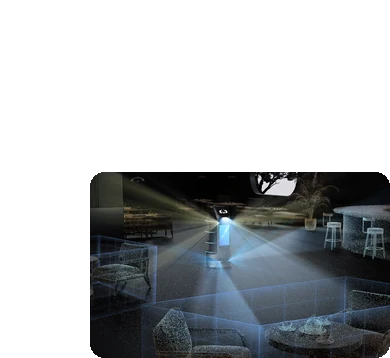
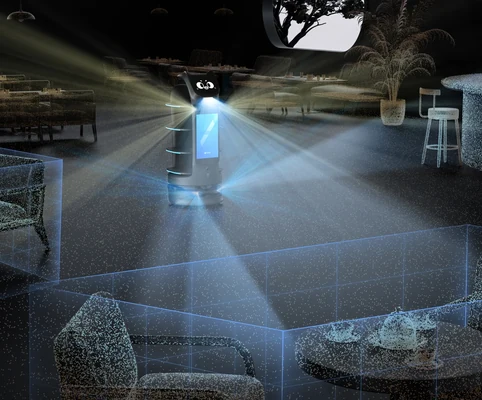
Two forward cameras, three RGBD sensors and one radar give full coverage of front-end chassis detection, stopping automatically for obstacles.

Key outcomes

A new level of meal pick-up

Make every delivery clear and accurate. Dish recognition and lighting cues guide guests to the right tray.

Dish recognition and broadcast · tray lights · ambient lighting · 40 kg load (10 kg per tray) · 410 × 500 mm trays.

Reduces mistakes and gives guests a smoother service experience.

PUDU BellaBot Pro

Omni-Sense
Safety

Move safely through busy venues. A revolutionary perception solution covers the whole front of the chassis.

2 forward cameras · 3 RGBD sensors · 1 radar · VSLAM + marker + LiDAR SLAM · crosswalk projection.

Halts automatically for obstacles and keeps pedestrians aware at intersections.

PUDU BellaBot Pro

Delivery & advertising

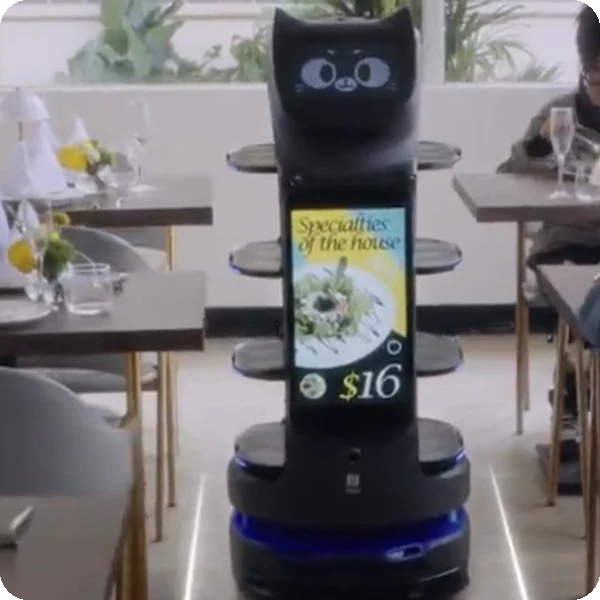
Promote while you serve. An 18.5-inch LCD advertising screen showcases dishes, offers and your brand.

10.1-inch touchscreen · 18.5-inch advertising screen · greeting, light, ear-touch, voice and back-touch interaction.

Turns every delivery trip into a promotion opportunity.

PUDU BellaBot Pro

Steady delivery for any scene

Keep dishes stable on every route. The upgraded vehicle-grade chassis and motion control improve stability.

Vehicle-grade chassis · 0.2–1.2 m/s cruise speed · 11 h run time · 4.5 h charging · 65 cm min passing space.

Delivers various items reliably across diverse scenarios.

PUDU BellaBot Pro

What powers the BellaBot Pro's smarter delivery

PUDU BellaBot Pro key specifications

Dish recognition & broadcast

Dish recognition lets BellaBot Pro announce dish names and share insights such as cooking methods.

Clear tray guidance

Tray lights and ambient lighting give clear cues for meal pick-up, ensuring guests take the right tray.

Omni-Sense safety

Two forward cameras, three RGBD sensors and one radar achieve full coverage of front-end chassis detection.
PUDU BellaBot Pro

65 cm agility

The smoothest mobility of its size lets BellaBot Pro navigate complex restaurant environments with ease.

Crosswalk caution

Autonomous safety awareness projects ground patterns near intersections to alert pedestrians.

Multimodal interaction

Greeting, light, ear-touch, voice and back-touch interaction create delightful guest encounters.

How it works

PUDU BellaBot Pro

01.

Map or configure

Prepare BellaBot Pro for your venue. The space is mapped, tables are set up, and delivery workflows and advertising content are configured.

What the BellaBot Pro handles
Uses VSLAM, markers and LiDAR SLAM to map and localise itself.

Where people step in
Initial mapping, table set-up and content upload require human input.
The exact SPARK deployment process TBC

02.

Run the workflow

Staff load the trays and send BellaBot Pro to a table. It recognises and announces dishes, lights the right tray and returns after pick-up.

What the BellaBot Pro handles
Carries out delivery with obstacle detection, crosswalk projection and advertising playback.

Where people step in
Staff load trays and assign tables; guests collect their dishes. Exact exception procedures TBC

03.

Monitor and improve

Keep service and promotions aligned with your venue, updating routes and advertising content as needed.

What the BellaBot Pro handles
Reports status and plays updated content on its 18.5-inch screen.

Where people step in
People remain responsible for reviewing performance and deciding when adjustments, maintenance or further configuration are needed. TBC

Use cases and environments

PUDU BellaBot Pro in use

Restaurants

Dish delivery with recognition, tray lights and table returns.

PUDU BellaBot Pro in use

Hotels & Resorts

Delivery and promotion in restaurants and lounges.

PUDU BellaBot Pro in use

Hot Pot & Buffet Venues

Frequent multi-dish deliveries during peak service.

PUDU BellaBot Pro in use

Bars & Lounges

Drinks delivery with stable vehicle-grade chassis.

PUDU BellaBot Pro in use

Shopping Centres

Food-court delivery with on-screen promotions.

PUDU BellaBot Pro in use

Office Canteens

Meal delivery across staff restaurants.

PUDU BellaBot Pro in use

Showrooms

Guest refreshments and brand content.

PUDU BellaBot Pro in use

Entertainment Venues

Delivery and advertising in cinemas and arcades.

PUDU BellaBot Pro in use

Hospitals

Meal and item delivery with clear tray guidance.

PUDU BellaBot Pro in use

Care Homes

Meal delivery that frees carers for residents.

PUDU BellaBot Pro in use

Universities

Campus canteen delivery and notices.

PUDU BellaBot Pro in use

Conference Centres

Catering delivery and event announcements.

PUDU BellaBot Pro in use

Factory Canteens

Meal delivery in large staff canteens.

PUDU BellaBot Pro in use

Corporate Campuses

Delivery between kitchens and dining areas.

PUDU BellaBot Pro in use

Visitor Centres

Welcome deliveries and on-screen information.

PUDU BellaBot Pro in use

Warehouse Offices

Item delivery between offices.

Product in action

Technical specifications

Specification

BellaBot Pro

Specification

BellaBot Pro

Specification

BellaBot Pro

Specification

BellaBot Pro

Specification

BellaBot Pro

Specification

BellaBot Pro

Specification

BellaBot Pro

Deployment and integration

From site survey to launch, SPARK prepares your robot for your site, your workflow and your team.

01 — Site survey

We assess your requirements and site conditions to help plan your robot deployment.

02 — Mapping

The operating area is mapped for autonomous operation before handover.
03 — Workflow design

We develop a deployment plan around your site and operational requirements.

04 — Integration

Integration requirements are assessed for each deployment, while tasks, schedules and reports are managed through the app.
05 — Training

SPARK provides user training as part of its after-sales support.
06 — Launch

Launch follows completion of site preparation, mapping, workflow setup and training.

Site Assessment

Understand the facility, floor types, traffic patterns and operational requirements.

Robot Deployment

Introduce the robot into daily operations with minimal disruption.

Mapping

Configure operating areas and routes according to the environment.
Remote Monitoring

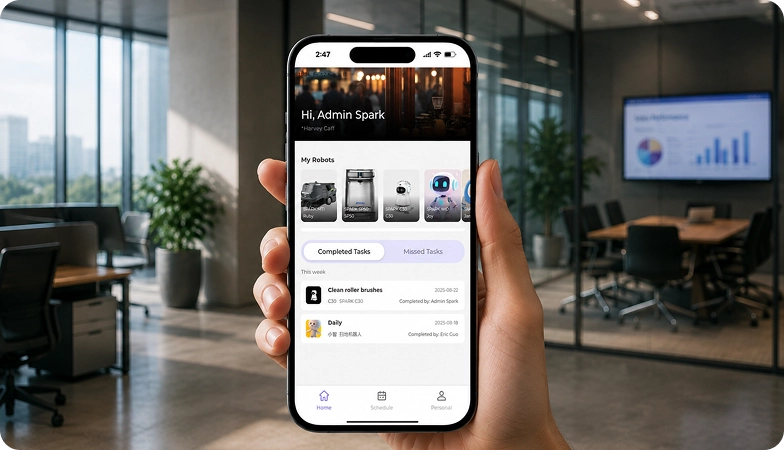
Monitor robot operations and receive performance information through the app.

Training & Handover

Provide operators with the knowledge needed to manage the robot day to day.

Ongoing Optimization

Adapt maps and update software as the facility evolves.

Training & Handover

Provide operators with the knowledge needed to manage the robot day to day.

Remote Monitoring

Monitor robot operations and receive performance information through the app.

Ongoing Optimization

Adapt maps and update software as the facility evolves.

Site Assessment

Understand the facility, floor types, traffic patterns and operational requirements.

Mapping

Configure operating areas and routes according to the environment.

Robot Deployment

Introduce the robot into daily operations with minimal disruption.
We are not a box shifter. Deployment covers site survey, mapping, workflow design, integration planning, training and launch — so your robot arrives configured for your building rather than dropped at your loading bay.

If the survey shows the robot is wrong for your site, we will say so.

upSPARK and ongoing support

From installation and user training to software updates and on-site maintenance, we provide full after-sales support.

Technology That Keeps Improving

Every SPARK robot is managed through its manufacturer app and cloud platform, where operators can schedule tasks, monitor each robot remotely and review performance reports. SPARK supports you from installation and training through to software updates and maintenance.

maintenance tasks

Routine maintenance is kept simple, with clear schedules for brushes, filters, tanks and other consumables. SPARK guides your team through each task so the robot stays ready to work.

scheduling

Tasks and schedules can be set and adjusted through the app or control panel, so the robot works at the times that suit your site, including out of hours.

guided maintenance

SPARK provides step-by-step guidance for maintenance tasks, helping your team keep the robot running reliably with minimal downtime.

expert support

Our UK-based team provides expert after-sales support, including troubleshooting, on-site maintenance and help with optimising your robot routines.

Safety, compliance and governance

Safety, compliance and operating information for technical and procurement review.

Compliance

Certification and conformity

Declaration of Conformity and certification documents for this robot are available on request for technical and procurement review.

UKCA marking, IP rating and any additional certification documents are confirmed per robot.

Obstacle handling and safety

360° Environmental Awareness

SPARK robots use onboard sensors to detect obstacles, slow down or stop, and reroute where required. Detailed safety behaviour is covered in the product documentation.

UKCA marking, IP rating and any additional certification documents are confirmed per robot.

Operating boundaries

Mapped operating areas

The robot operates within the mapped areas and configured routes set up during deployment. Operating conditions are listed in the technical specifications above.

UKCA marking, IP rating and any additional certification documents are confirmed per robot.

Data and privacy

App and cloud management

Tasks, schedules and reports are managed through the manufacturer app and cloud platform. Details of data handling and privacy are shared as part of deployment planning.

UKCA marking, IP rating and any additional certification documents are confirmed per robot.

Documents for review

Documentation pack

The user manual, specification sheet and conformity documentation can be shared for technical and procurement review.

UKCA marking, IP rating and any additional certification documents are confirmed per robot.

Choosing between Spark delivery robots

PUDU BellaBot delivery robot BellaBot
PUDU BellaBot Pro delivery robot BellaBot Pro
PUDU PuduBot 2 delivery robot PuduBot 2
PUDU HolaBot delivery robot HolaBot
Primary Task
Premium food & item delivery
Delivery & in-venue advertising
Universal delivery & bussing
Heavy-duty delivery & bussing
Best For
Restaurants, hotels & offices
Restaurants & hospitality venues
Restaurants, offices & hospitals
Restaurants, hospitals & factories
Max. Load
40 kg (4 trays)
40 kg (4 trays)
40 kg (3–7 trays)
60 kg / 120 L (4 trays)
Battery Life
12–24 hrs
11 hrs
10–24 hrs
10–24 hrs
Charging Time
~4.5 hrs
4.5 hrs
3 hrs
~4.5 hrs
Navigation
LiDAR + visual SLAM
VSLAM + marker + LiDAR SLAM
SLAM, 360° avoidance
Laser + RGB-D SLAM
Standout Feature
Cat-face interaction
Dish recognition & 18.5″ ad screen
Fleets of up to 20 robots
IPX5 cabin & voice tracking

Frequently asked questions

Questions about using the BellaBot Pro at your site

PUDU BellaBot Pro
What is the difference between BellaBot and BellaBot Pro?

BellaBot Pro adds dish recognition and broadcast, tray guidance lights, Omni-Sense safety, crosswalk projection, 65 cm agility and an 18.5-inch advertising screen.

Up to 40 kg across four 410 × 500 mm trays, with 10 kg per tray.

BellaBot Pro runs for about 11 hours and charges in 4.5 hours.

BellaBot Pro moves through gaps as narrow as 65 cm.

Two forward cameras, three RGBD sensors and a radar detect obstacles, and it projects ground patterns at intersections to alert pedestrians.

Yes. Its 18.5-inch LCD screen can show dishes, offers and brand content during delivery.

Contact the SPARK support team. We provide after-sales support including troubleshooting, software updates and on-site maintenance for your BellaBot Pro.

Tell us about your site

See whether the BellaBot Pro is right for your operation. Tell us a little about your site and what you need, and our team will help you assess the right setup.