

- Home /
- Humanoid Robots /
- D1 Max Pro
QUADRUPED ROBOTS
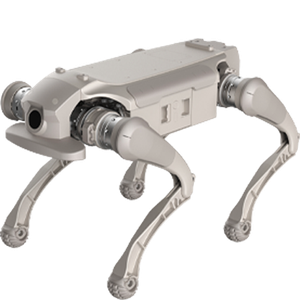
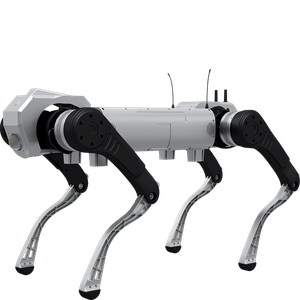
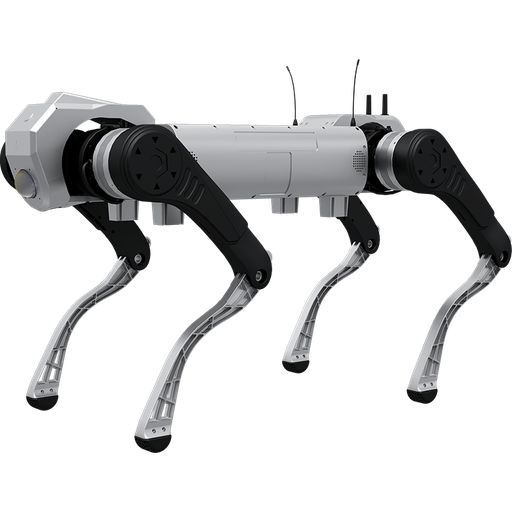
D1 Max Pro
Ultra-Heavy Payload Industrial Quadruped
- Best for heavy-load transport, inspection and rescue
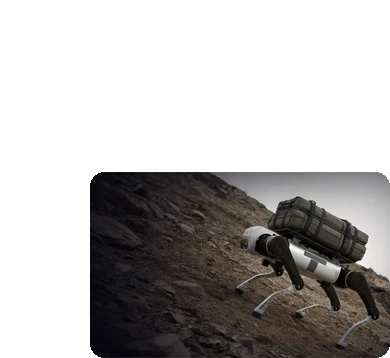
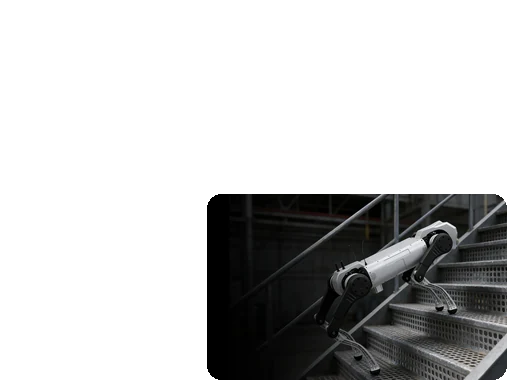
- 50 kg rated payload with 30 cm stair climbing
- IP67, -20 °C to 55 °C and 20 cm water depth
Carry heavy loads over any terrain with the D1 Max Pro
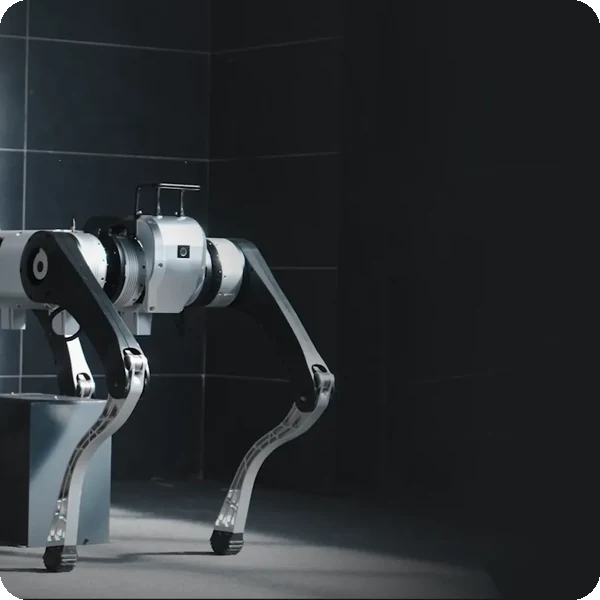
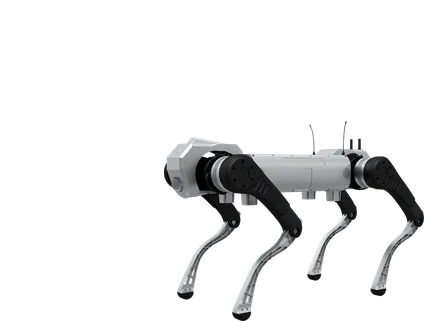
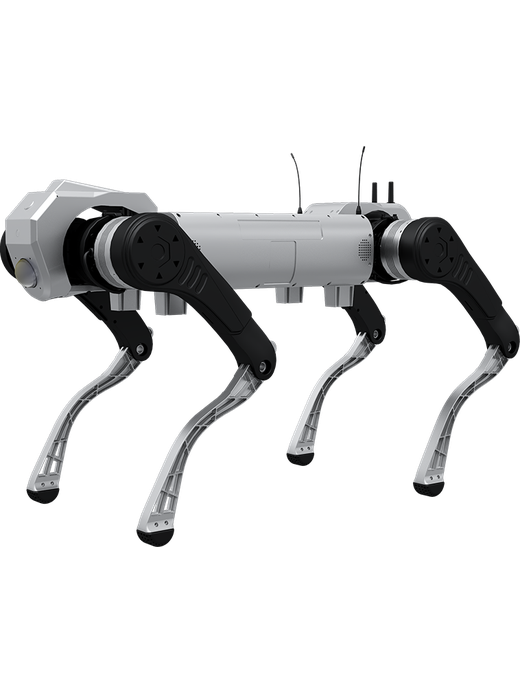
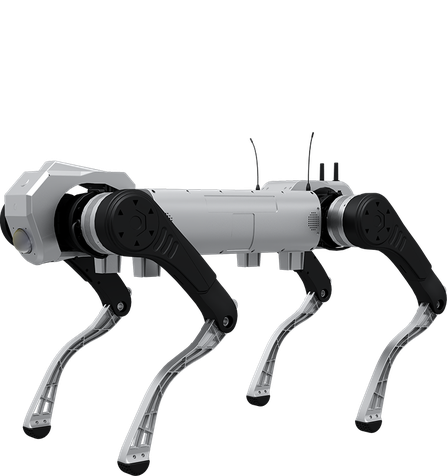
AGIBOT D1 MaxPro is an ultra-heavy-payload industrial quadruped. It carries a sustained 50 kg, climbs 30 cm stairs and open-riser industrial stairs, and works in rain, snow and water up to 20 cm deep, with IP67 protection, a 2081 Wh battery and a 96-channel LiDAR for demanding inspection, logistics and emergency missions.
Best for
Heavy-duty field missions
Primary task
Load carrying and payload mounting
Environment
Industrial plants, construction, outdoor and emergency sites
Deployment type
Mission-configured deployment, with SPARK site assessment, training and ongoing support
Move equipment and sensors where vehicles cannot reach
Heavy loads, stairs and harsh weather make field logistics slow and risky for people.
Small robots cannot carry real loads
Light payloads limit what a legged robot can do.
Superior payload.
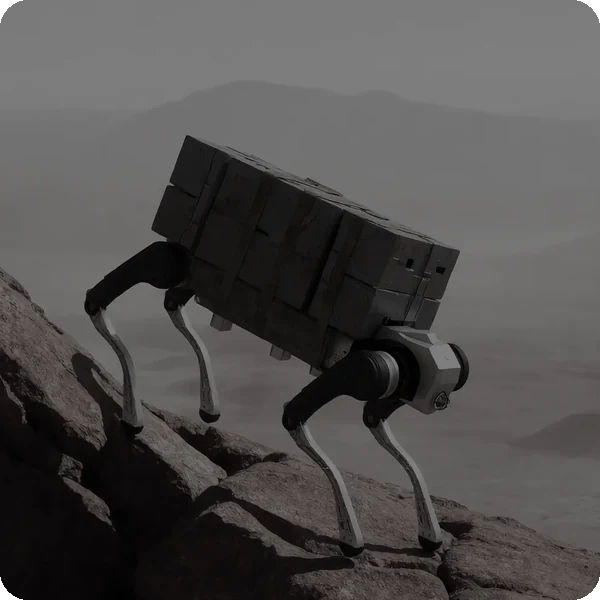
D1 MaxPro supports sustained payloads of up to 50 kg for heavy-duty mounting, transport and material handling.
Missions outlast the battery
Short runtimes force constant returns.
Endurance assurance
A 2081 Wh battery gives 5.5 hours unloaded and 2 hours or more fully loaded, with quick battery swapping.
Stairs and rough ground block access
Industrial stairs and debris stop wheeled vehicles.
Exceptional mobility
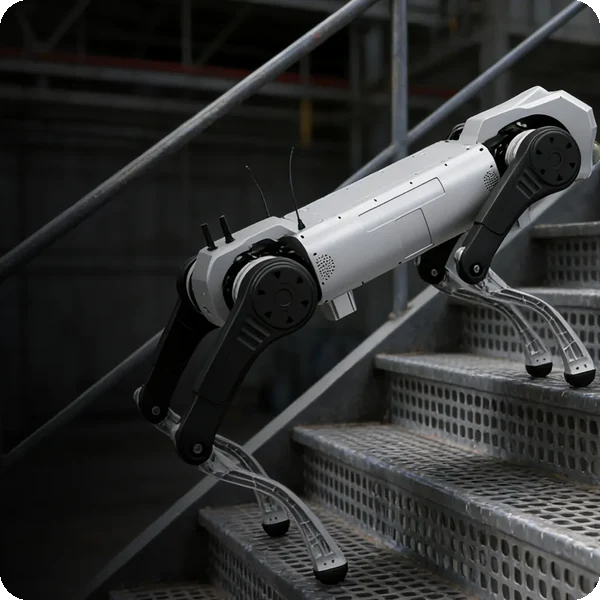
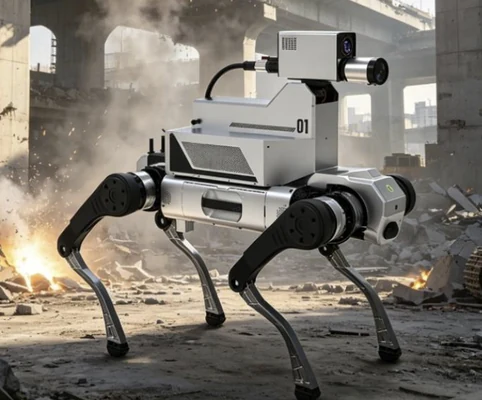
Climbs continuous stairs up to 30 cm and open-riser industrial stairs, with proven self-righting after falls.
Weather stops field work
Rain, snow and extreme temperatures halt operations.
Robust environmental adaptability
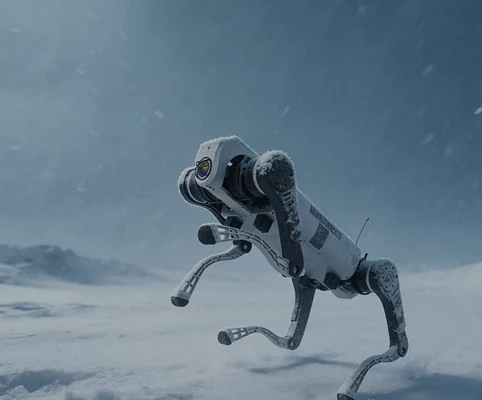
IP67 protection, -20 °C to 55 °C operation and water depths up to 20 cm.
Key outcomes
Heavy-load capability
Carry equipment, materials and large payloads.
50 kg rated payload · 300 N·m max. joint torque (software limited to 180 N·m) · 68 kg robot.
Reduces manual carrying in hazardous areas.
All-terrain
Mobility
Reach stairs, slopes and rough ground.
30 cm stairs · 45° max. climbing angle · 0–1.2 m/s continuous walking · 2 m/s max. (limited).
Accesses areas vehicles cannot.
Extreme environments
Keep working in heat, cold, rain and water.
IP67 · -20 °C to 55 °C · up to 20 cm water depth · automotive-grade IMU.
Reliable in harsh outdoor conditions.
Mission endurance
Run long missions with minimal downtime.
2081 Wh / 45 Ah battery · 5.5 h unloaded · ≥ 2 h at 50 kg · 21 km range · quick battery swap.
Optional autonomous charging dock.
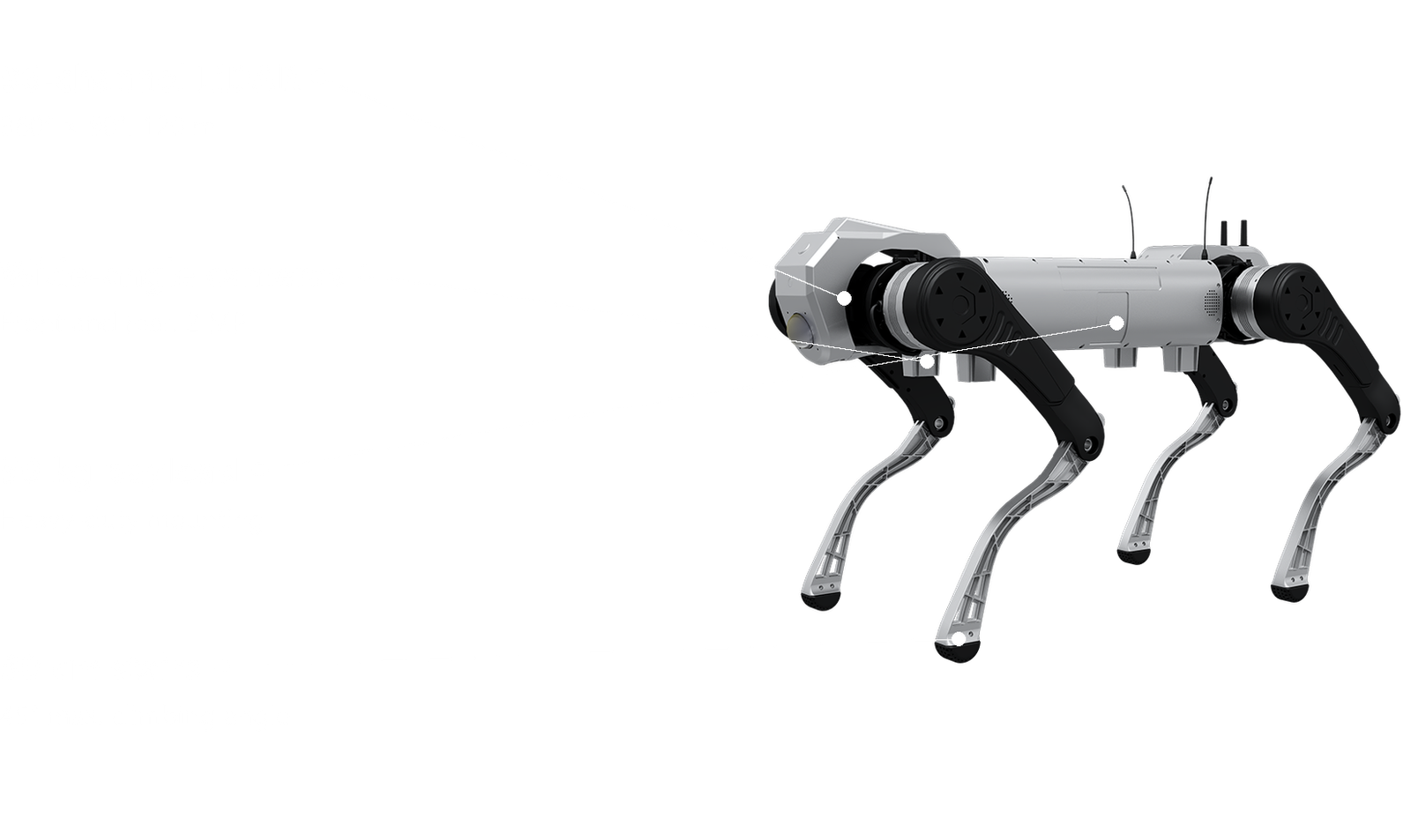
What powers the D1 Max Pro's heavy-duty missions
50 kg payload
High-capacity battery
Stair climbing
IP67 protection
96-channel LiDAR
Open SDK
How it works
01.
Map or configure
Prepare D1 MaxPro for your mission. Payloads are mounted and powered through 12 V, 24 V and 48 V outputs, and applications are set up with the SDK.
What the D1 Max Pro handles
Perceives the environment with 96-channel LiDAR and front and rear wide-angle cameras.
Where people step in
Payload integration and mission planning require human input.
The exact SPARK deployment process TBC
02.
Run the workflow
D1 MaxPro carries loads and sensors across stairs, slopes and harsh terrain, streaming real-time video back to operators.
What the D1 Max Pro handles
Carries out stair climbing, obstacle crossing, balance and self-righting.
Where people step in
Operators control missions with the display remote (up to 500 m range) and manual emergency stop. Exact procedures TBC
03.
Monitor and improve
Review mission data and video, and extend capabilities through TCP and ROS development.
What the D1 Max Pro handles
Supports real-time video transmission and secondary development.
Where people step in
People remain responsible for reviewing performance and deciding when adjustments, maintenance or further configuration are needed. TBC
Use cases and environments
Product in action
AGIBOT D1 MaxPro superior payload capacity
Technical specifications
Specification
- Rated payload
- Continuous walking speed
- Max. speed
- Continuous stair climbing height
- Max. climbing angle
- Max. joint torque
- Standard movements
- Self-righting
D1 Max Pro
- 50 kg
- 0–1.2 m/s
- 3 m/s (lab); limited to 2 m/s
- 30 cm
- 45°
- 300 N·m (software limited to 180 N·m)
- Standing, prone, damping, stair climbing, obstacle crossing
- Supported
Specification
- Standing dimensions (L × W × H)
- Prone dimensions (L × W × H)
- Total weight (incl. battery)
- Degrees of freedom
- Material
- Joint range (body)
- Joint range (thigh)
- Joint range (calf)
D1 Max Pro
- 1270 × 520 × 730 mm
- 1360 × 570 × 300 mm
- 68 kg
- 12 total, 3 per leg
- Aluminium alloy + high-strength engineering plastic
- -45° to 45°
- -200° to 20°
- 30° to 160°
Specification
- LiDAR
- Wide-angle cameras
- Camera field of view
- IMU
- Computing
- Emergency stop
- Real-time video transmission
- Safety certification
D1 Max Pro
- Front 96-channel, 360° × 90°, up to 120 m diameter, 1.5 cm accuracy
- Front and rear, 2 MP industrial-grade
- DFOV 150°, HFOV 130°, VFOV 73°, 30 fps
- 1 × automotive-grade
- 117 TOPS GPU, ARM CPU
- Manual, on remote controller
- Supported
- TBC
Specification
- Battery
- Battery life
- Operational range
- Charging time
- Battery swap
- Autonomous charging station
- Direct battery charging
- Power outputs
D1 Max Pro
- 2081 Wh, rated 45 ± 1 Ah
- 5.5 h no load; ≥ 2 h with 50 kg
- 21 ± 1 km no load; 11 ± 1 km full load
- Approx. 4.5 h (10% to 90%)
- Quick swapping
- Optional
- Supported
- 12 V, 24 V, 48 V; max. 720 W
Specification
- Connectivity
- SDK
- Ethernet
- USB
- Serial port
- Remote control range
- OTA updates
- Fleet management
D1 Max Pro
- Wi-Fi 6.0, Bluetooth 5.2; optional 4G
- TCP and ROS; x86 and ARM packages
- 3 × Gigabit, 1 × Fast Ethernet (100 Mbps)
- 2 × USB 3.0
- 1
- Up to 500 m
- TBC
- TBC
Specification
- Ingress protection
- Operating temperature
- Water depth
- Weather
- Stairs
- Max. slope
- Indoor / outdoor
- Noise
D1 Max Pro
- IP67
- -20 °C to 55 °C
- Up to 20 cm
- Rain, wind, snow
- Continuous and open-riser industrial stairs
- 45°
- Both
- TBC
Specification
- Remote controller
- Adapter
- Battery charging connector
- Autonomous charging station
- 4G module
- Spare battery
- Payload rails
- Transport case
D1 Max Pro
- Integrated display, emergency stop, 500 m range
- Standard
- Standard
- Optional
- Optional
- TBC
- TBC
- TBC
Deployment and integration
From site survey to launch, SPARK prepares your robot for your site, your workflow and your team.

01 — Site survey
We assess your requirements and site conditions to help plan your robot deployment.

02 — Mapping
The operating area is mapped for autonomous operation before handover.
03 — Workflow design
We develop a deployment plan around your site and operational requirements.

04 — Integration
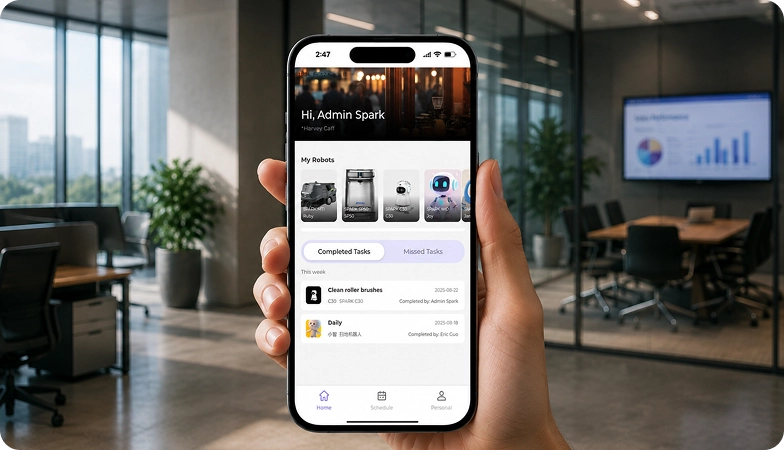
Integration requirements are assessed for each deployment, while tasks, schedules and reports are managed through the app.
05 — Training
SPARK provides user training as part of its after-sales support.
06 — Launch
Launch follows completion of site preparation, mapping, workflow setup and training.

Site Assessment
Understand the facility, floor types, traffic patterns and operational requirements.

Robot Deployment
Introduce the robot into daily operations with minimal disruption.

Mapping
Configure operating areas and routes according to the environment.
Remote Monitoring
Monitor robot operations and receive performance information through the app.

Training & Handover
Provide operators with the knowledge needed to manage the robot day to day.

Ongoing Optimization
Adapt maps and update software as the facility evolves.

Training & Handover
Provide operators with the knowledge needed to manage the robot day to day.

Remote Monitoring
Monitor robot operations and receive performance information through the app.

Ongoing Optimization
Adapt maps and update software as the facility evolves.

Site Assessment
Understand the facility, floor types, traffic patterns and operational requirements.

Mapping
Configure operating areas and routes according to the environment.

Robot Deployment
Introduce the robot into daily operations with minimal disruption.
What SPARK adds
We are not a box shifter. Deployment covers site survey, mapping, workflow design, integration planning, training and launch — so your robot arrives configured for your building rather than dropped at your loading bay.
If the survey shows the robot is wrong for your site, we will say so.
upSPARK and ongoing support
From installation and user training to software updates and on-site maintenance, we provide full after-sales support.

Technology That Keeps Improving
Every SPARK robot is managed through its manufacturer app and cloud platform, where operators can schedule tasks, monitor each robot remotely and review performance reports. SPARK supports you from installation and training through to software updates and maintenance.

maintenance tasks
Routine maintenance is kept simple, with clear schedules for brushes, filters, tanks and other consumables. SPARK guides your team through each task so the robot stays ready to work.

scheduling
Tasks and schedules can be set and adjusted through the app or control panel, so the robot works at the times that suit your site, including out of hours.

guided maintenance
SPARK provides step-by-step guidance for maintenance tasks, helping your team keep the robot running reliably with minimal downtime.

expert support
Our UK-based team provides expert after-sales support, including troubleshooting, on-site maintenance and help with optimising your robot routines.
Safety, compliance and governance
Compliance
Certification and conformity
Declaration of Conformity and certification documents for this robot are available on request for technical and procurement review.
Obstacle handling and safety
360° Environmental Awareness
SPARK robots use onboard sensors to detect obstacles, slow down or stop, and reroute where required. Detailed safety behaviour is covered in the product documentation.
Operating boundaries
Mapped operating areas
The robot operates within the mapped areas and configured routes set up during deployment. Operating conditions are listed in the technical specifications above.
Data and privacy
App and cloud management
Tasks, schedules and reports are managed through the manufacturer app and cloud platform. Details of data handling and privacy are shared as part of deployment planning.
Documents for review
Documentation pack
The user manual, specification sheet and conformity documentation can be shared for technical and procurement review.
Choosing between Spark quadruped robots
D1 Pro/Edu
D1 Ultra
D1 Max Pro
Frequently asked questions
Questions about using the D1 Max Pro at your site
How much can D1 MaxPro carry?
A rated payload of 50 kg, for heavy-duty mounting, transport and material handling.
How long can it operate?
About 5.5 hours with no load and 2 hours or more with 50 kg, from a 2081 Wh battery that can be swapped quickly.
Can it climb stairs?
Yes. Continuous stairs up to 30 cm, including open-riser industrial stairs, and slopes up to 45°.
Does it work in bad weather?
Yes. With IP67 protection it operates from -20 °C to 55 °C, in rain and snow, and in water up to 20 cm deep.
How is it controlled?
With a remote controller that has an integrated display, manual emergency stop and up to 500 m range; developers can use the TCP/ROS SDK.
What sensors does it have?
A 96-channel LiDAR, front and rear 2 MP wide-angle cameras and an automotive-grade IMU.
How do I request engineering support if there is a problem?
Contact the SPARK support team. We provide after-sales support including troubleshooting, software updates and on-site maintenance for your D1 Max Pro.