
- Home /
- Hotel Robots /
- FlashBot Arm
HOTEL ROBOTS
FlashBot Arm
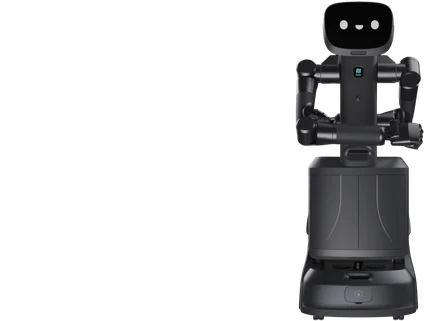
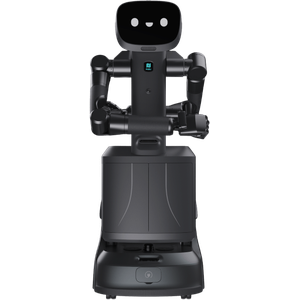
Semi-Humanoid Embodied AI Service Robot
- Best for hotels, offices, hospitals and labs
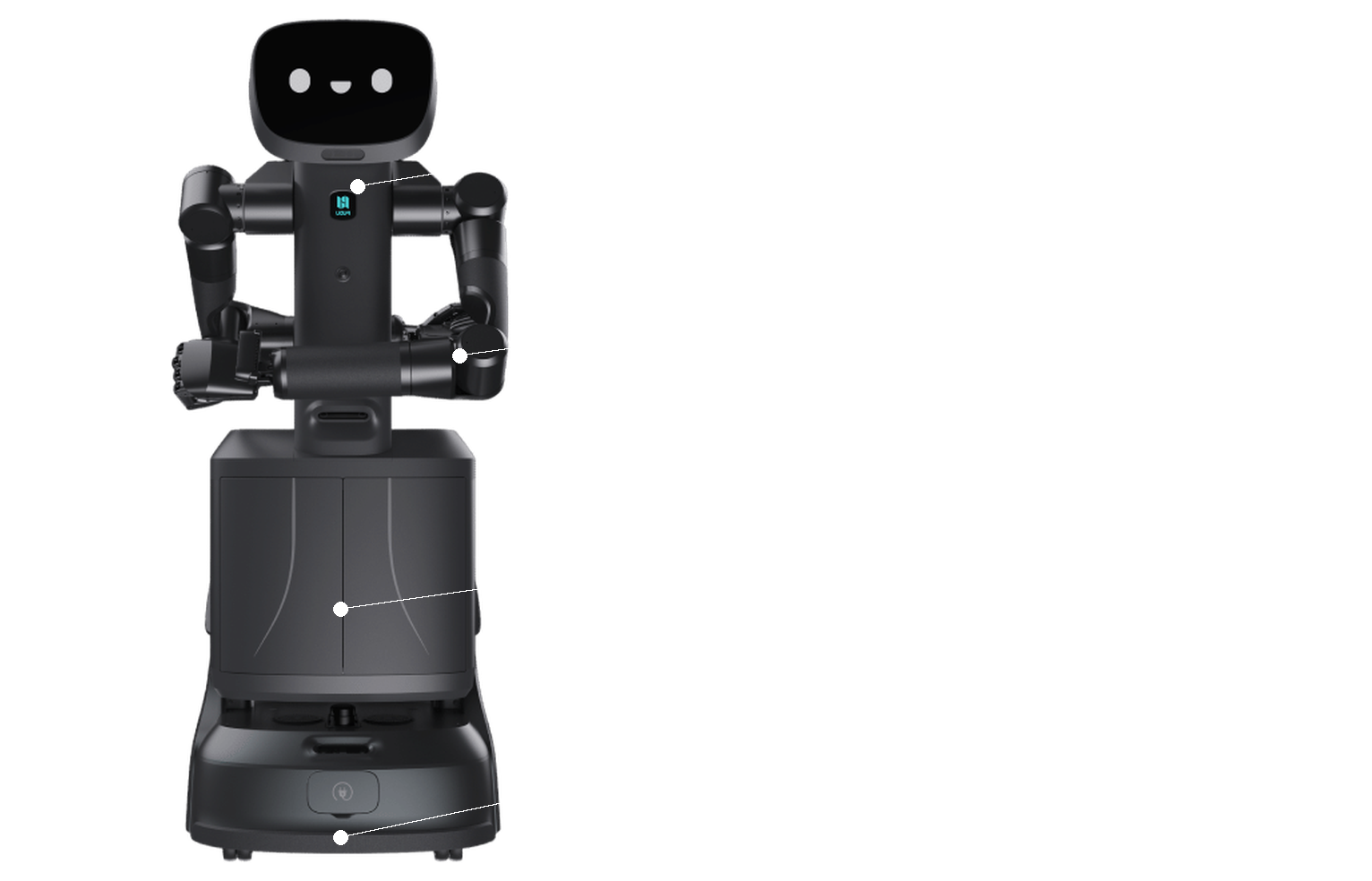
- Two 7-DOF arms with PUDU DH11 dexterous hands
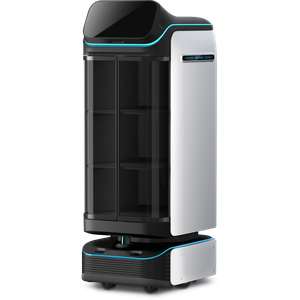
- Enclosed, lockable compartment for secure delivery
Combine delivery and manipulation with the FlashBot Arm
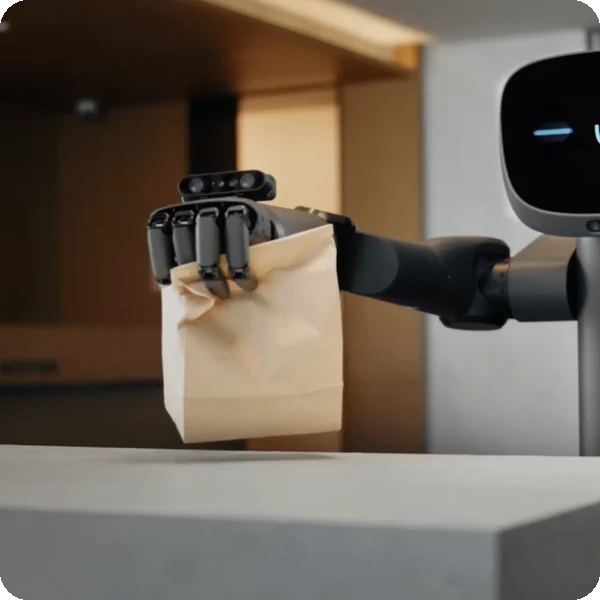
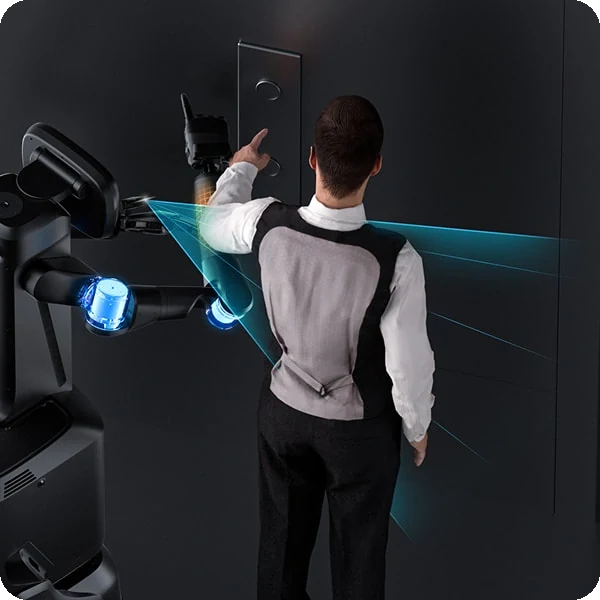
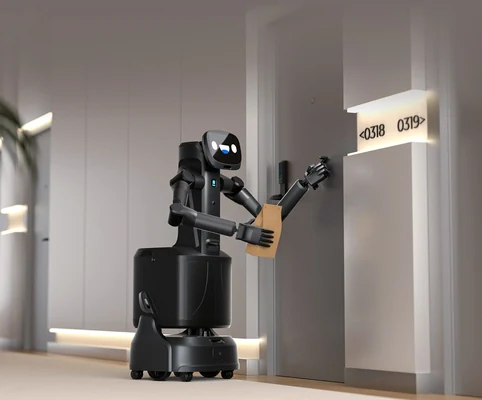
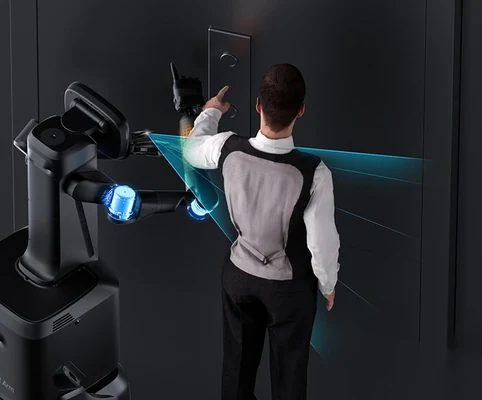
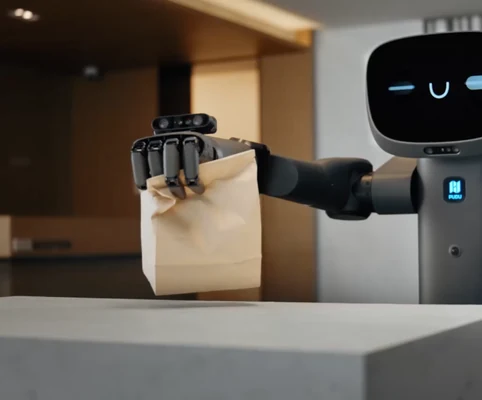
FlashBot Arm, developed by Pudu X-Lab, combines specialised delivery capabilities with humanoid manipulation. Integrating embodied intelligence, it recognises environments, understands tasks and executes them autonomously, from pressing buttons and opening doors to handing over items, delivering an intelligent service experience.
Best for
Autonomous delivery with manipulation
Primary task
Item delivery, pickup and handover
Environment
Hotels, offices, hospitals, laboratories and corporate campuses
Deployment type
Mapped autonomous deployment, with SPARK site assessment, training and ongoing support
Automate deliveries that need hands, not just wheels
Many delivery tasks involve pressing buttons, handling items or handing them over — steps traditional delivery robots cannot do.
Delivery robots cannot handle items themselves
Someone still has to load, unload and hand over every item.
7-DOF arms with dexterous hands.
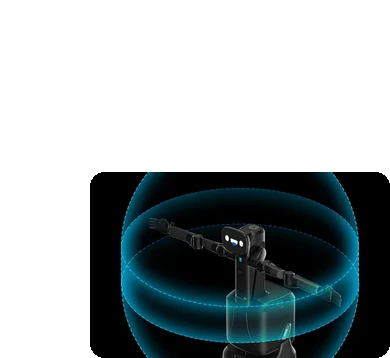
Two liftable 7-DOF arms with PUDU DH11 dexterous hands and a 2 m operating diameter handle a much wider range of tasks.
Tasks change from one request to the next
Fixed routines cannot adapt to new situations.
Intelligent decision-making
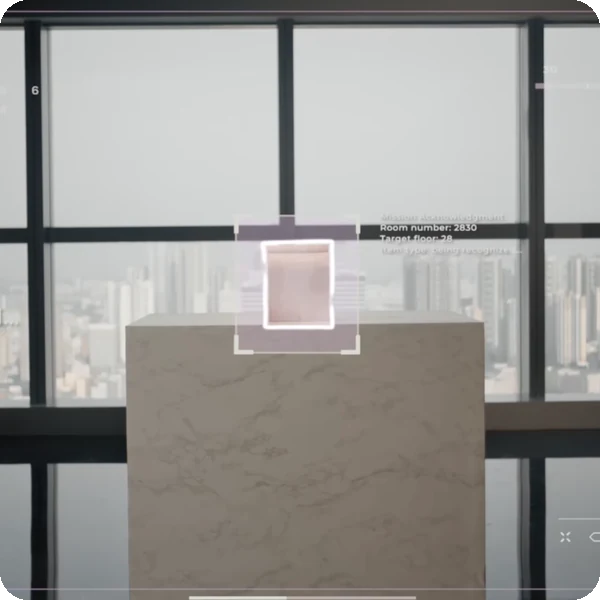
FlashBot Arm autonomously recognises environments, understands tasks and executes them with precision.
Valuable items need secure delivery
Open trays leave documents, parcels and medicines exposed.
Enclosed compartment
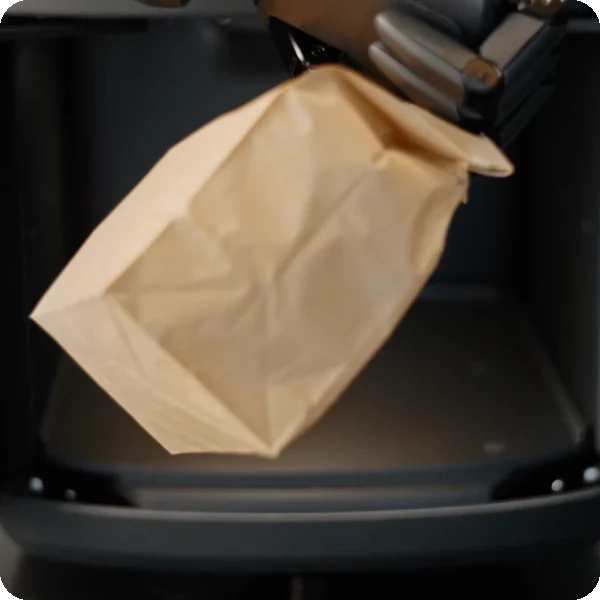
A spacious dual-door enclosed compartment with locking and ID verification protects sensitive items.
Robots working near people must be safe
Robotic arms need precise force control around guests and staff.
Safe and reliable
RGBD cameras, LiDAR, panoramic cameras and pressure-sensitive skin enable precise force control and an immediate stop on contact.
Key outcomes
Automated delivery
Pick up and drop off items precisely. The advanced robotic arms make FlashBot Arm useful in labs, offices and hospitals.
2 × 7-DOF arms · DH11 dexterous hands (6 active + 5 passive DOF) · 15 kg load · 1600 × 2000 × 1600 mm max reach.
Takes on routine, repetitive tasks so staff can focus on higher-value work.
Natural
Interaction
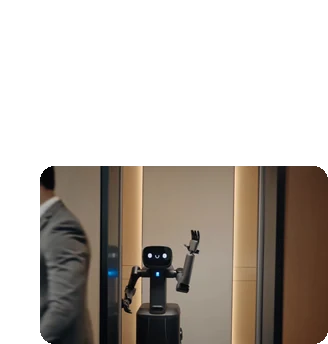
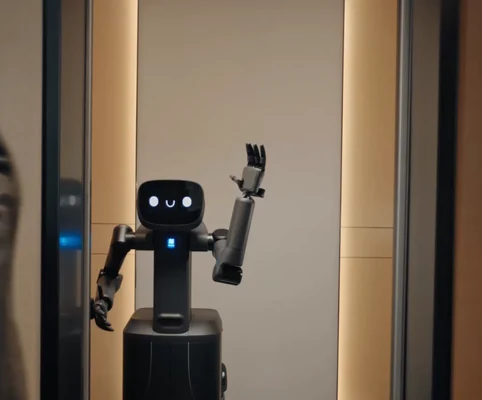
Engage guests intuitively. FlashBot Arm interacts with AI voice, gestures and expressions.
AI voice · gestures · expressions · 10.1-inch touchscreen.
Adds a high-tech edge that impresses clients, guests and patients.
Seamless delivery
Move smoothly and precisely. VSLAM and omnidirectional perception provide 3D mapping for navigation and obstacle avoidance.
VSLAM + LiDAR SLAM · independent suspended chassis · 65 cm min passing space · multi-robot collaboration.
Delivers efficiently even in crowded environments.
24/7 operation
Keep service running around the clock. FlashBot Arm returns to its charging station automatically when the battery is low.
8 h battery life · 4 h charging · automatic recharging · compartment locking and ID verification.
Boosts delivery speed and reduces downtime.
What powers the FlashBot Arm's embodied intelligence
Intelligent decision-making
7-DOF arms
Dexterous hands
Seamless delivery
Safe and reliable
Multi-robot collaboration
How it works
01.
Map or configure
Prepare FlashBot Arm for your building. The space is mapped and delivery points, doors and lifts are configured.
What the FlashBot Arm handles
Uses VSLAM, LiDAR SLAM and omnidirectional perception to build a 3D map.
Where people step in
Initial mapping and task set-up require human input.
The exact SPARK deployment process TBC
02.
Run the workflow
FlashBot Arm collects items, carries them in its enclosed compartment and uses its arms and hands to complete handovers and interactions.
What the FlashBot Arm handles
Carries out navigation, manipulation, delivery and automatic recharging.
Where people step in
Staff assign tasks and verify sensitive deliveries. Exact exception and takeover procedures TBC
03.
Monitor and improve
Keep tasks aligned with your operation as needs change, with multi-robot task allocation across the site.
What the FlashBot Arm handles
Optimises task allocation across multiple robots.
Where people step in
People remain responsible for reviewing performance and deciding when adjustments, maintenance or further configuration are needed. TBC
Use cases and environments
Product in action
FlashBot Arm intelligent decision-making
FlashBot Arm dexterous hands
FlashBot Arm seamless delivery
Technical specifications
Specification
- Max. load
- Arms
- Hands
- Max. reach
- Operating diameter
- Interaction
- Multi-robot
- Speed
FlashBot Arm
- 15 kg
- 2 × 7-DOF, liftable
- PUDU DH11: 6 active + 5 passive DOF
- 1600 × 2000 × 1600 mm
- Up to 2 m
- AI voice, gestures, expressions
- Task allocation and avoidance
- TBC
Specification
- Machine dimensions
- Display
- Compartment
- Security
- Chassis
- Min. passing space
- Weight
- Compartment volume
FlashBot Arm
- 539 × 515 × 1440 mm
- 10.1-inch touchscreen
- Enclosed, dual-door
- Compartment locking and ID verification
- Independent suspended chassis
- 65 cm
- TBC
- TBC
Specification
- Navigation
- Perception
- Sensors
- Safety skin
- Force control
- Crowded spaces
- Elevator integration
- Safety certification
FlashBot Arm
- VSLAM + LiDAR SLAM
- Omnidirectional, 3D mapping
- RGBD cameras, LiDAR, panoramic cameras
- Pressure-sensitive
- Precise, immediate stop on contact
- Intelligent avoidance
- TBC
- TBC
Specification
- Battery life
- Charging time
- Auto charging
- Operation
- Battery capacity
- Battery type
- Rated voltage
- Swappable battery
FlashBot Arm
- 8 h
- 4 h
- Returns to charging station
- 24/7
- TBC
- TBC
- TBC
- TBC
Specification
- Interaction
- Multi-robot
- Task management
- Remote monitoring
- Network
- Software updates
- Door / elevator integration
- API
FlashBot Arm
- AI voice
- Collaboration supported
- TBC
- TBC
- TBC
- TBC
- TBC
- TBC
Specification
- Environment
- Min. passing space
- Hygiene
- Ingress protection
- Operating temperature
- Max. slope
- Max. threshold height
- Floor types
FlashBot Arm
- Indoor hotels, offices, hospitals, labs
- 65 cm
- Limits unnecessary physical contact
- TBC
- TBC
- TBC
- TBC
- TBC
Specification
- Dexterous hands
- Charging station
- Enclosed compartment
- ID verification
- Grippers / tools
- Spare battery
- Compartment inserts
- Spare parts kit
FlashBot Arm
- PUDU DH11
- Included
- Dual-door
- Supported
- TBC
- TBC
- TBC
- TBC
Deployment and integration
From site survey to launch, SPARK prepares your robot for your site, your workflow and your team.

01 — Site survey
We assess your requirements and site conditions to help plan your robot deployment.

02 — Mapping
The operating area is mapped for autonomous operation before handover.
03 — Workflow design
We develop a deployment plan around your site and operational requirements.

04 — Integration
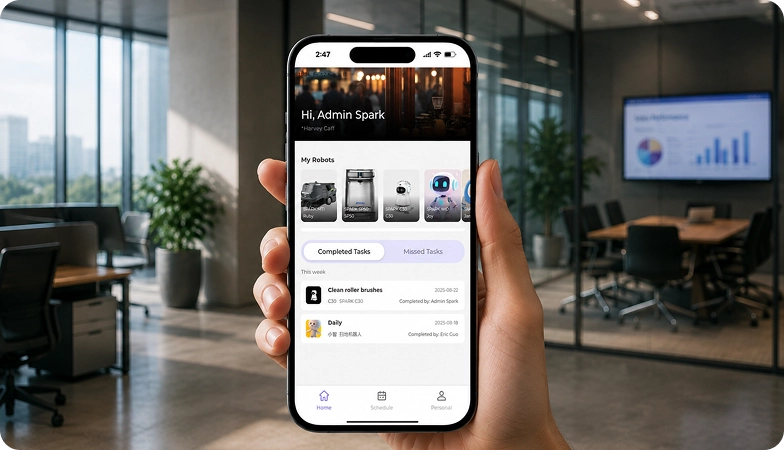
Integration requirements are assessed for each deployment, while tasks, schedules and reports are managed through the app.

05 — Training
SPARK provides user training as part of its after-sales support.
06 — Launch
Launch follows completion of site preparation, mapping, workflow setup and training.

Site Assessment
Understand the facility, floor types, traffic patterns and operational requirements.

Robot Deployment
Introduce the robot into daily operations with minimal disruption.

Mapping
Configure operating areas and routes according to the environment.
Remote Monitoring
Monitor robot operations and receive performance information through the app.

Training & Handover
Provide operators with the knowledge needed to manage the robot day to day.

Ongoing Optimization
Adapt maps and update software as the facility evolves.

Training & Handover
Provide operators with the knowledge needed to manage the robot day to day.

Remote Monitoring
Monitor robot operations and receive performance information through the app.

Ongoing Optimization
Adapt maps and update software as the facility evolves.

Site Assessment
Understand the facility, floor types, traffic patterns and operational requirements.

Mapping
Configure operating areas and routes according to the environment.

Robot Deployment
Introduce the robot into daily operations with minimal disruption.
What SPARK adds
We are not a box shifter. Deployment covers site survey, mapping, workflow design, integration planning, training and launch — so your robot arrives configured for your building rather than dropped at your loading bay.
If the survey shows the robot is wrong for your site, we will say so.
upSPARK and ongoing support
From installation and user training to software updates and on-site maintenance, we provide full after-sales support.

Technology That Keeps Improving
Every SPARK robot is managed through its manufacturer app and cloud platform, where operators can schedule tasks, monitor each robot remotely and review performance reports. SPARK supports you from installation and training through to software updates and maintenance.

maintenance tasks
Routine maintenance is kept simple, with clear schedules for brushes, filters, tanks and other consumables. SPARK guides your team through each task so the robot stays ready to work.

scheduling
Tasks and schedules can be set and adjusted through the app or control panel, so the robot works at the times that suit your site, including out of hours.

guided maintenance
SPARK provides step-by-step guidance for maintenance tasks, helping your team keep the robot running reliably with minimal downtime.

expert support
Our UK-based team provides expert after-sales support, including troubleshooting, on-site maintenance and help with optimising your robot routines.
Safety, compliance and governance
Compliance
Certification and conformity
Declaration of Conformity and certification documents for this robot are available on request for technical and procurement review.
Obstacle handling and safety
360° Environmental Awareness
SPARK robots use onboard sensors to detect obstacles, slow down or stop, and reroute where required. Detailed safety behaviour is covered in the product documentation.
Operating boundaries
Mapped operating areas
The robot operates within the mapped areas and configured routes set up during deployment. Operating conditions are listed in the technical specifications above.
Data and privacy
App and cloud management
Tasks, schedules and reports are managed through the manufacturer app and cloud platform. Details of data handling and privacy are shared as part of deployment planning.
Documents for review
Documentation pack
The user manual, specification sheet and conformity documentation can be shared for technical and procurement review.
Choosing between Spark hotel robots
FlashBot Arm
ButlerBot W3
T3
Frequently asked questions
Questions about using the FlashBot Arm at your site
What makes FlashBot Arm different from other delivery robots?
It combines a delivery robot with two 7-DOF arms and dexterous hands, so it can handle items, press buttons and complete handovers itself.
How much can FlashBot Arm carry?
Up to 15 kg, in a spacious dual-door enclosed compartment.
How long can FlashBot Arm operate?
It runs for about 8 hours, charges in 4 hours and returns to its charging station automatically.
Is FlashBot Arm safe around people?
Yes. RGBD cameras, LiDAR, panoramic cameras and pressure-sensitive skin give precise force control and an immediate stop on contact.
Can FlashBot Arm deliver sensitive items securely?
Yes. Its compartment supports locking and ID verification to protect valuable or sensitive items.
Where is FlashBot Arm used?
In hotels, offices, hospitals, laboratories and other buildings where deliveries need handling as well as transport.
How do I request engineering support if there is a problem?
Contact the SPARK support team. We provide after-sales support including troubleshooting, software updates and on-site maintenance for your FlashBot Arm.