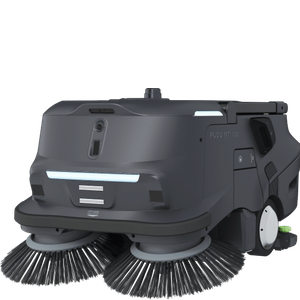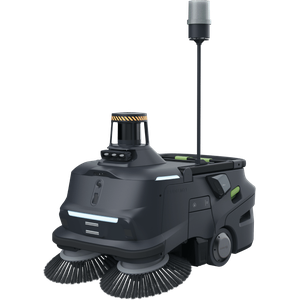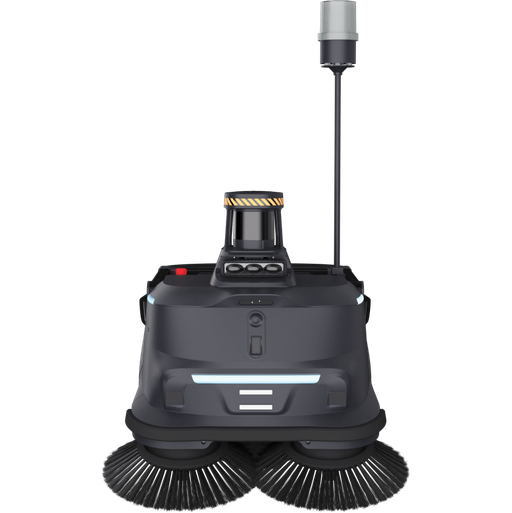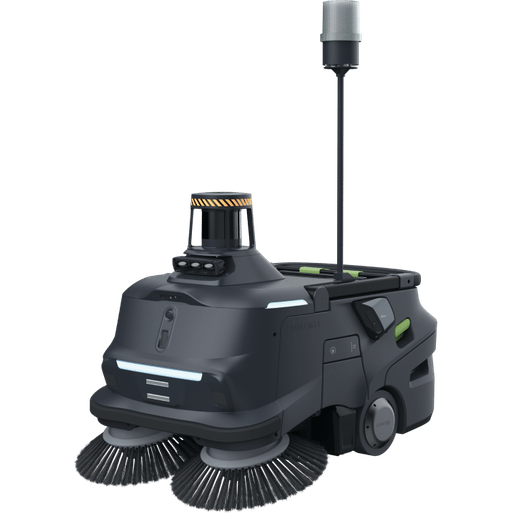

- Best for warehouses, factories and car parks
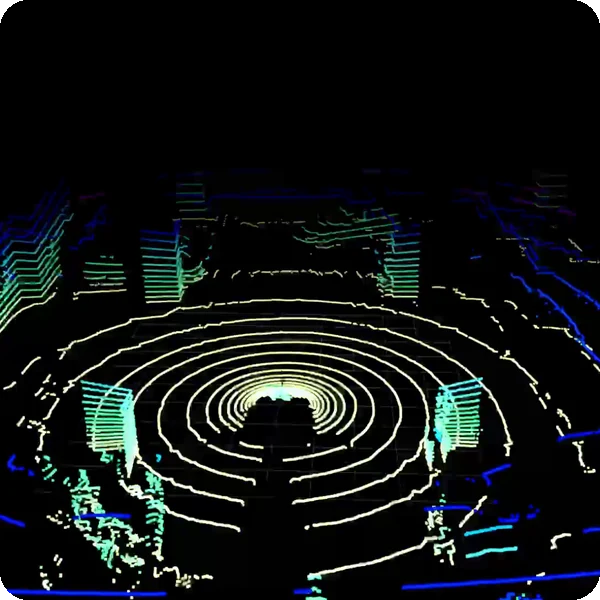
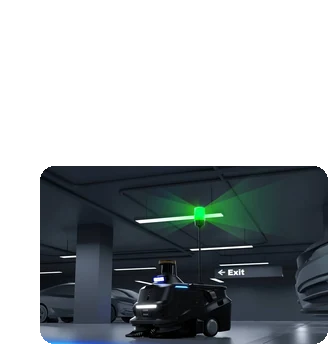
- 3D LiDAR perception for complex, busy environments
- Collects dust and bulky debris with a 35 L bin
Automate industrial sweeping with the MT1 Max
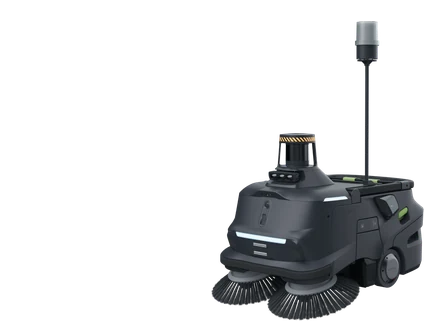
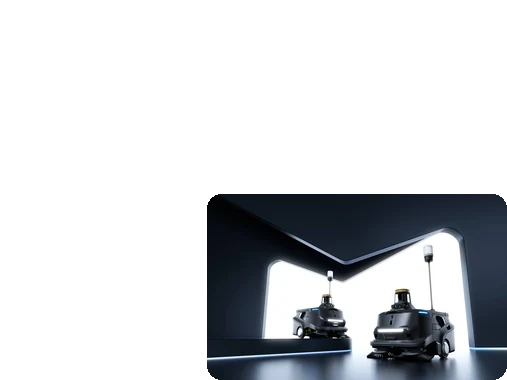
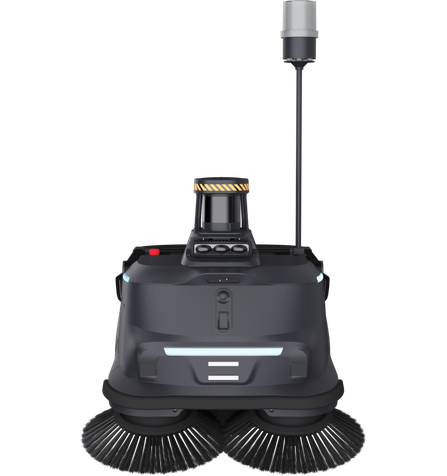
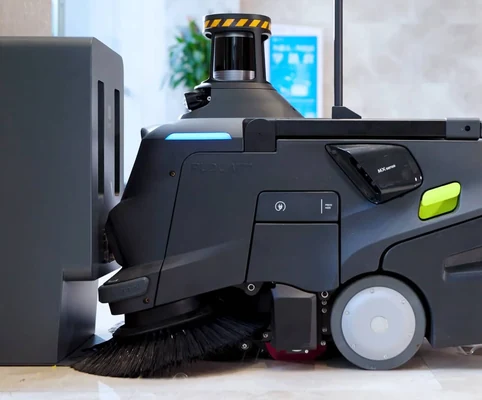
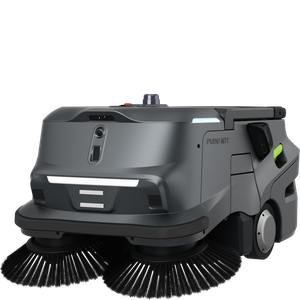
The PUDU MT1 Max is an industrial sweeping robot built for large spaces like warehouses and factories. Using 3D LiDAR and AI navigation, it moves safely through complex environments while collecting dust and bulky debris with its wide cleaning path and large 35-litre bin, and supports autonomous charging and adaptive cleaning for long, low-maintenance operation.
Best for
Industrial-scale sweeping
Primary task
Sweeping dust and bulky debris
Environment
Warehouses, factories, car parks and semi-outdoor areas
Deployment type
Mapped autonomous deployment, with SPARK site assessment, training and ongoing support
Keep industrial floors clear of dust and debris around the clock
Warehouses, factories and car parks combine huge areas, heavy debris, vehicles and challenging conditions.
Complex environments confuse navigation
High ceilings, night-time operation and interference make reliable navigation hard.
3D perception enhancement.
A 3D LiDAR and multi-sensor fusion system maps accurately and detects obstacles in real time, even in high ceilings, at night or with heavy interference.
Mixed debris needs different cleaning power
Light dust scatters at high power while heavy debris needs more.
AI adaptive cleaning strategy
Light debris triggers lower power to prevent scattering and heavy debris increases power, while cleaning posture adjusts to guide debris into the brushes.
Vehicles and people share the floor
Forklifts, cars and pedestrians make autonomous cleaning risky.
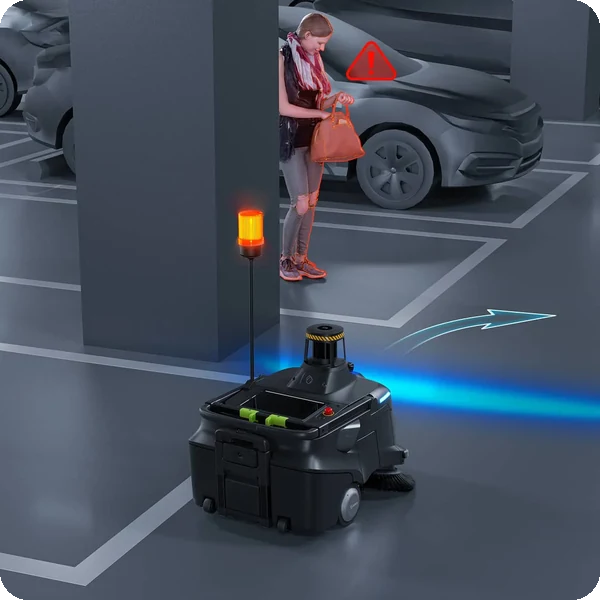
Smart obstacle avoidance
The MT1 Max stops to let vehicles pass, pauses at lane entrances or edges aside, and reacts quickly to sudden movements.
Bulky waste is left behind
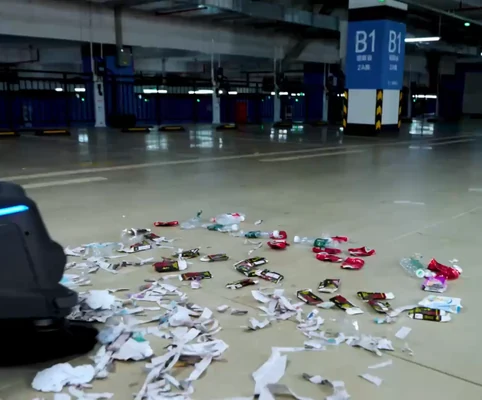
Bottles, paper and cigarette butts are too varied for many sweepers.
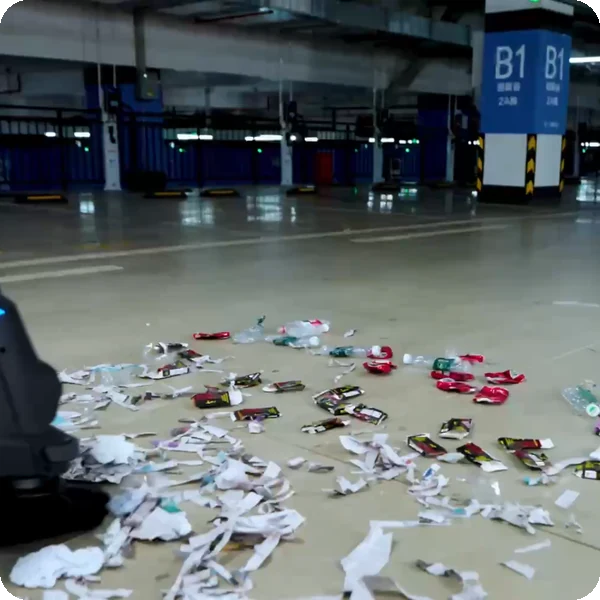
Empty the facility of dirt & trash
The MT1 Max removes everything from cigarette butts and paper scraps to large bottles in a single sweep, with 0 cm edge cleaning.
Key outcomes
Built for industrial sweeping
Clear large spaces in fewer runs. The MT1 Max combines a wide cleaning path with a large waste capacity.
70 cm cleaning width · 35 L waste capacity · up to 2,200 m²/h · 0 cm edge cleaning · 5–10 h runtime.
Removes everything from fine dust to large bottles in a single sweep.
Magic
Cleaning
Faster, more precise AI processing. A dual-chip architecture with built-in redundancy keeps sensors and motors working in sync.
AI adaptive cleaning · trash recognition · spot cleaning · cleaning posture adaptation.
Adapts cleaning power to the debris it finds for thorough results without scattering.
Intelligent Active Interaction
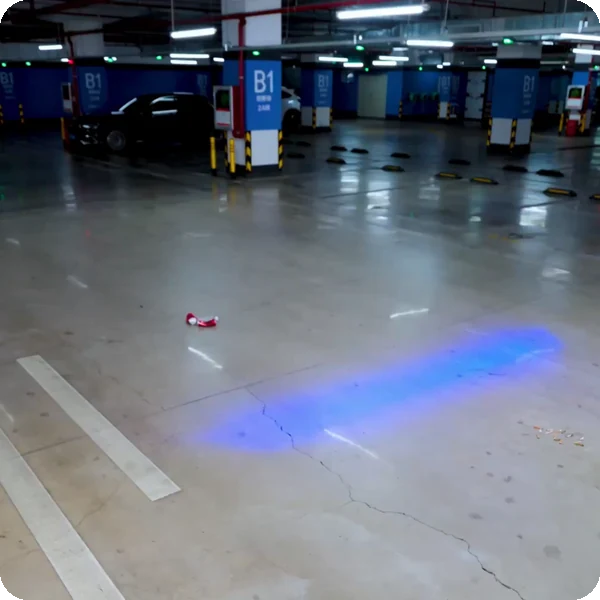
Clean safely in busy spaces. Structural protection combines with intelligent responses and audible and visual alerts.
1.2 m warning light · safety projection light · water-drop sensor · slope climbing · proactive rain avoidance.
Actively senses and responds to its environment, indoors and in semi-outdoor areas.
24/7 continuous operation
Keep cleaning without downtime. High-capacity batteries, rapid charging and auto-docking support round-the-clock operation.
60 Ah battery · under 3.5 h charging · auto-docking · app or cloud management.
Meets high-frequency cleaning demands with minimal manual intervention.
What powers the MT1 Max's 3D-perception sweeping
3D perception
Magic cleaning
Active interaction
Large waste capacity
Smart obstacle avoidance
Continuous operation
How it works
01.
Map or configure
Prepare the MT1 Max for the site. The environment is mapped with its 3D LiDAR and sweeping routes and schedules are configured.
What the MT1 Max handles
Uses VSLAM, markers and 3D LiDAR SLAM to build its map and plan routes.
Where people step in
Initial mapping and configuration require human input.
The exact SPARK deployment process TBC
02.
Run the workflow
Let the MT1 Max sweep autonomously, adapting power to the debris it finds and giving way to vehicles and people.
What the MT1 Max handles
Carries out sweeping, trash recognition, spot cleaning, obstacle avoidance and auto-docking.
Where people step in
People empty the 35 L bin and step in for situations outside the configured workflow. Exact exception and takeover procedures TBC
03.
Monitor and improve
Keep cleaning aligned with your operation through the app or cloud platform, with real-time status and performance reports.
What the MT1 Max handles
Reports status and performance and adapts its cleaning strategy automatically.
Where people step in
People remain responsible for reviewing performance and deciding when adjustments, maintenance or further configuration are needed. TBC
Use cases and environments
Product in action
MT1 Max 3D perception
MT1 Max clearing dirt and trash
MT1 Max AI adaptive cleaning
Technical specifications
Specification
- Cleaning performance
- Cleaning width
- Waste capacity
- Edge cleaning
- Cruise speed
- Debris types
- Adaptive power
- Noise
MT1 Max
- Up to 2,200 m²/h
- 70 cm | 27.6 in
- 35 L
- 0 cm
- 0.2–1.2 m/s
- Dust to large bottles
- By debris load
- TBC
Specification
- Machine dimensions
- Machine weight
- Waste capacity
- Warning light
- Safety projection light
- Water-drop sensor
- Path clearance
- Filter
MT1 Max
- 840 × 600 × 675 mm
- 85 kg
- 35 L
- 1.2 m high
- Included
- Included
- TBC
- TBC
Specification
- Navigation
- Perception
- AI processing
- Obstacle strategies
- Sudden movements
- Conditions
- Rain avoidance
- Safety certification
MT1 Max
- VSLAM + marker + 3D LiDAR SLAM
- 3D LiDAR + multi-sensor fusion
- Dual-chip architecture
- Stop, pause or edge aside
- Fast reaction to pop-outs and animals
- High ceilings, night, heavy interference
- Proactive
- TBC
Specification
- Run time
- Charging time
- Battery capacity
- Auto-docking
- Operation
- Battery type
- Rated voltage
- Charging station
MT1 Max
- 5–10 h (8 h standard mode)
- < 3.5 h
- 60 Ah
- Supported
- 24/7 continuous
- TBC
- TBC
- TBC
Specification
- Management
- Status tracking
- Scheduling
- Reports
- Alerts
- Network
- Software updates
- Fleet view
MT1 Max
- App or cloud platform
- Real-time
- Supported
- Performance reporting
- Audible and visual
- TBC
- TBC
- TBC
Specification
- Environment
- Slopes
- Obstacles
- Rain
- Ingress protection
- Operating temperature
- Max. slope
- Max. threshold height
MT1 Max
- Warehouses, factories, car parks, semi-outdoor
- Slope climbing supported
- Obstacle overcoming supported
- Proactive rain avoidance
- TBC
- TBC
- TBC
- TBC
Specification
- Warning light
- Safety projection light
- Water-drop sensor
- App / cloud platform
- Charging dock
- Side brushes
- Spare filters
- Spare parts kit
MT1 Max
- 1.2 m
- Included
- Included
- Included
- Auto-docking
- TBC
- TBC
- TBC
Deployment and integration
From site survey to launch, SPARK prepares your robot for your site, your workflow and your team.

01 — Site survey
We assess your requirements and site conditions to help plan your robot deployment.

02 — Mapping
The operating area is mapped for autonomous operation before handover.

03 — Workflow design
We develop a deployment plan around your site and operational requirements.

04 — Integration
Integration requirements are assessed for each deployment, while tasks, schedules and reports are managed through the app.

05 — Training
SPARK provides user training as part of its after-sales support.

06 — Launch
Launch follows completion of site preparation, mapping, workflow setup and training.

Site Assessment
Understand the facility, floor types, traffic patterns and operational requirements.

Robot Deployment
Introduce the robot into daily operations with minimal disruption.

Mapping
Configure operating areas and routes according to the environment.
Remote Monitoring
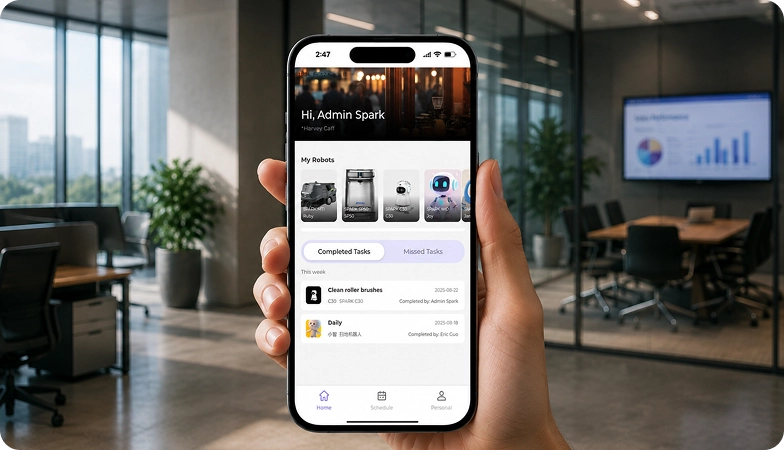
Monitor robot operations and receive performance information through the app.

Training & Handover
Provide operators with the knowledge needed to manage the robot day to day.

Ongoing Optimization
Adapt maps and update software as the facility evolves.

Training & Handover
Provide operators with the knowledge needed to manage the robot day to day.

Remote Monitoring
Monitor robot operations and receive performance information through the app.

Ongoing Optimization
Adapt maps and update software as the facility evolves.

Site Assessment
Understand the facility, floor types, traffic patterns and operational requirements.

Mapping
Configure operating areas and routes according to the environment.

Robot Deployment
Introduce the robot into daily operations with minimal disruption.
What SPARK adds
We are not a box shifter. Deployment covers site survey, mapping, workflow design, integration planning, training and launch — so your robot arrives configured for your building rather than dropped at your loading bay.
If the survey shows the robot is wrong for your site, we will say so.
upSPARK and ongoing support
From installation and user training to software updates and on-site maintenance, we provide full after-sales support.

Technology That Keeps Improving
Every SPARK robot is managed through its manufacturer app and cloud platform, where operators can schedule tasks, monitor each robot remotely and review performance reports. SPARK supports you from installation and training through to software updates and maintenance.

maintenance tasks
Routine maintenance is kept simple, with clear schedules for brushes, filters, tanks and other consumables. SPARK guides your team through each task so the robot stays ready to work.

scheduling
Tasks and schedules can be set and adjusted through the app or control panel, so the robot works at the times that suit your site, including out of hours.

guided maintenance
SPARK provides step-by-step guidance for maintenance tasks, helping your team keep the robot running reliably with minimal downtime.

expert support
Our UK-based team provides expert after-sales support, including troubleshooting, on-site maintenance and help with optimising your robot routines.
Safety, compliance and governance
Compliance
Certification and conformity
Declaration of Conformity and certification documents for this robot are available on request for technical and procurement review.
Obstacle handling and safety
360° Environmental Awareness
SPARK robots use onboard sensors to detect obstacles, slow down or stop, and reroute where required. Detailed safety behaviour is covered in the product documentation.
Operating boundaries
Mapped operating areas
The robot operates within the mapped areas and configured routes set up during deployment. Operating conditions are listed in the technical specifications above.
Data and privacy
App and cloud management
Tasks, schedules and reports are managed through the manufacturer app and cloud platform. Details of data handling and privacy are shared as part of deployment planning.
Documents for review
Documentation pack
The user manual, specification sheet and conformity documentation can be shared for technical and procurement review.
Choosing between Spark cleaning robots
MT1
MT1 Vac
MT1 Max
Frequently asked questions
Questions about using the MT1 Max at your site
What type of facilities can the MT1 Max clean?
The MT1 Max is built for large spaces such as warehouses, factories and car parks, including semi-outdoor areas.
What kind of debris can the MT1 Max collect?
Everything from cigarette butts and paper scraps to large bottles, in a single sweep, into its 35 L waste bin.
How long can the MT1 Max operate?
The MT1 Max runs for 5–10 hours (8 hours in standard mode) on its 60 Ah battery and recharges in under 3.5 hours with auto-docking.
How does the MT1 Max navigate?
It uses 3D LiDAR with multi-sensor fusion and VSLAM, markers and 3D LiDAR SLAM, working reliably even with high ceilings, at night or under interference.
Is the MT1 Max safe around vehicles?
Yes. It can stop to let vehicles pass, pause at lane entrances or edge aside, and has a 1.2 m warning light and safety projection light.
Can the MT1 Max work in wet conditions?
A water-drop sensor detects water drops and triggers a protective avoidance mode, and the robot proactively avoids rain.
How do I request engineering support if there is a problem?
Contact the SPARK support team. We provide after-sales support including troubleshooting, software updates and on-site maintenance for your MT1 Max.