
DEXTEROUS HANDS

Omni Hand

Compact High-DOF Interactive Dexterous Hand

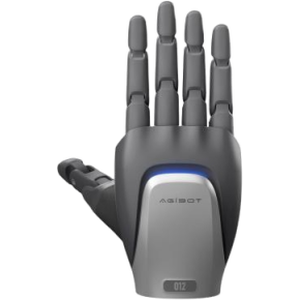
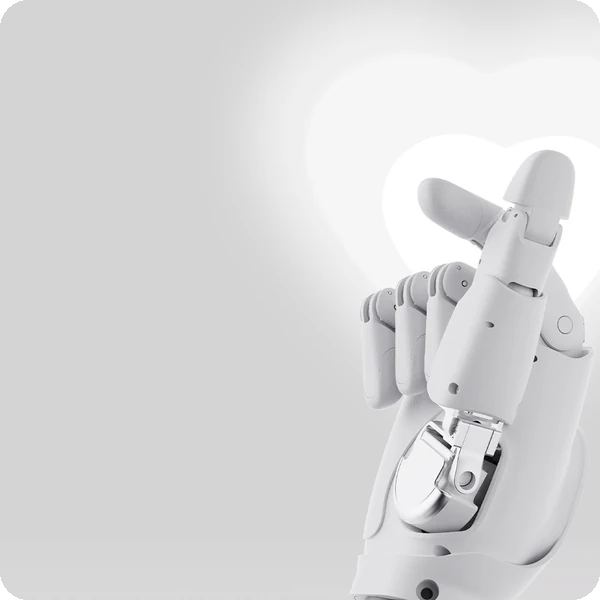
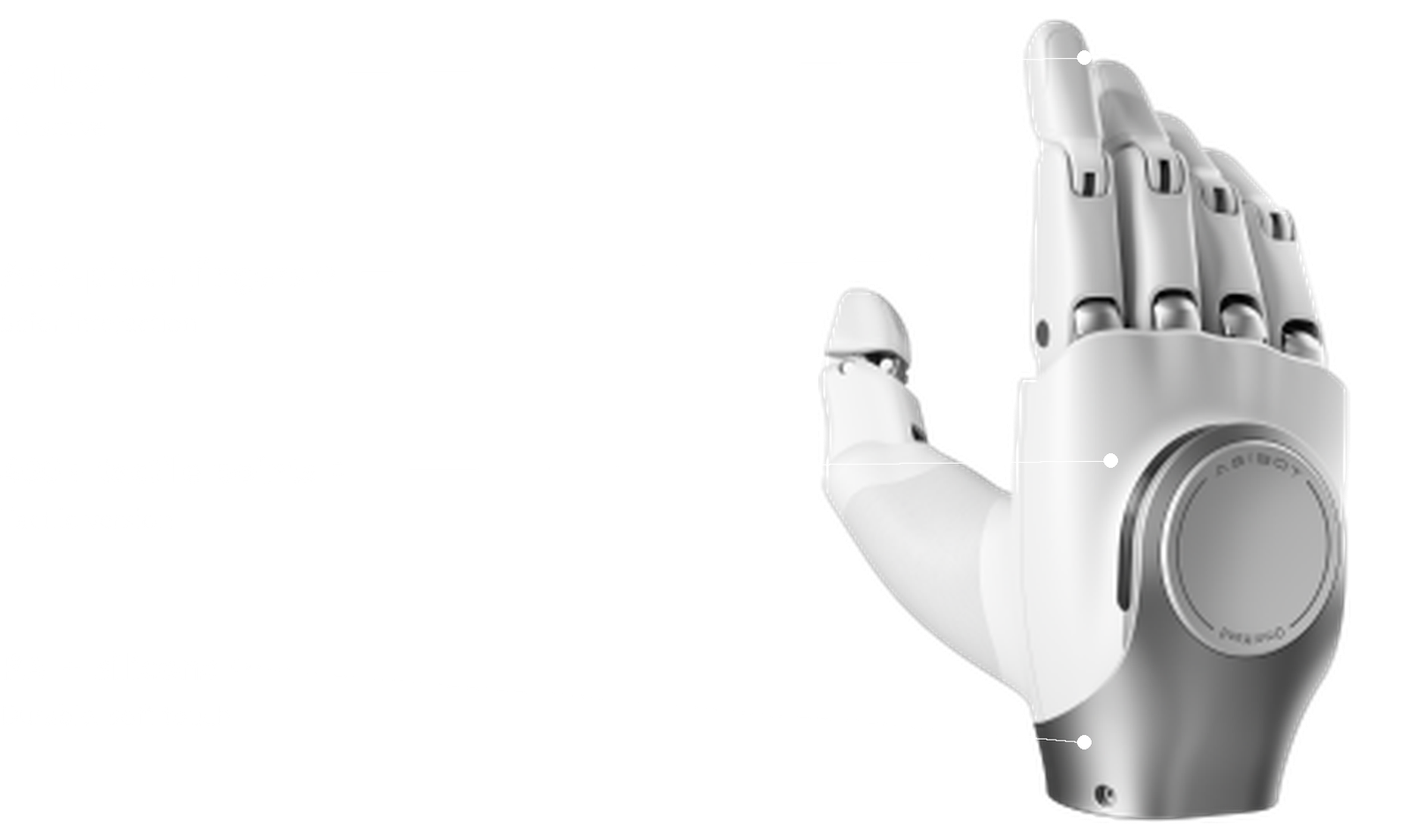
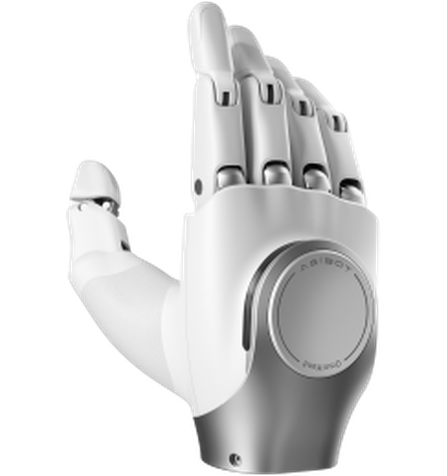
AGIBOT Omni Hand front view

Give your humanoid expressive, human-like hands with the Omni Hand

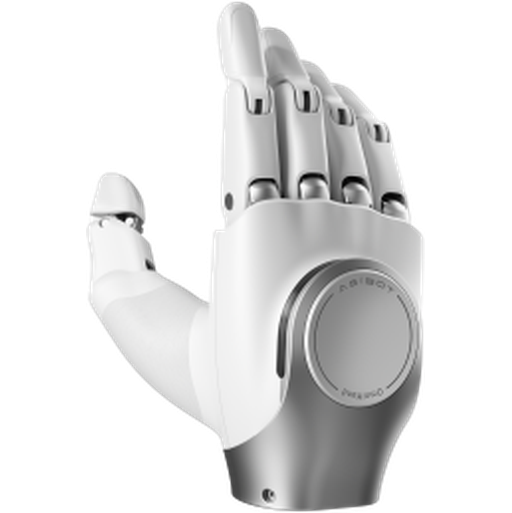
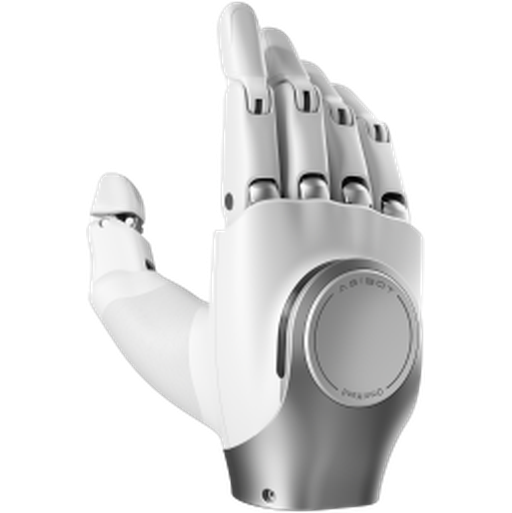
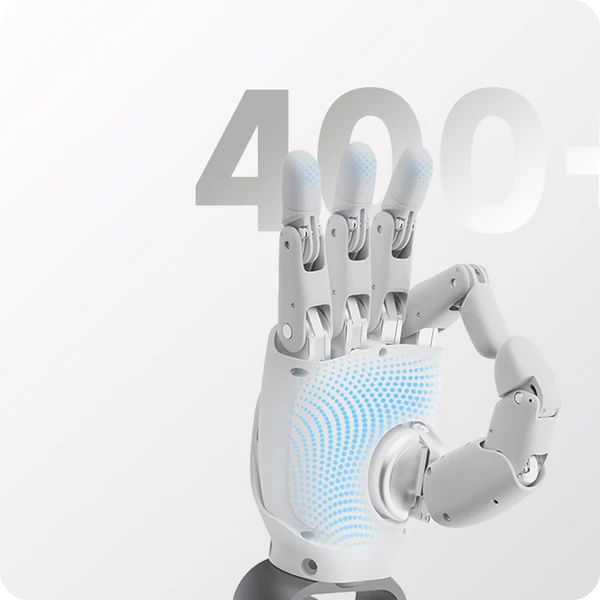
AGIBOT OmniHand 2025 is a compact, high-DOF interactive dexterous hand. At 180 mm and 500 g it fits a wide range of humanoid robots, covers all common interactive gestures with 16 degrees of freedom, and adds innovative back-of-hand touch interaction, with an optional tactile version carrying over 400 force-sensing points.

Best for

Humanoid gesture and grasping

Primary task

Interaction and light manipulation

Environment

Humanoid robots, research labs, exhibitions and education

Deployment type

End-effector integration, with SPARK technical guidance and ongoing support

Make robot interaction feel natural

Simple grippers cannot gesture, greet or handle everyday objects the way people expect.

Robot hands are too big and heavy

Bulky hands overload arms and look unnatural.

Compact & lightweight.

With a total length of 180 mm and weight of only 500 g, OmniHand fits a wide range of humanoid robot models.

AGIBOT Omni Hand cleaning in use

Grippers cannot gesture

Two-finger grippers limit interaction.

Agile interaction

16 degrees of freedom deliver human-like gestures, with innovative back-of-hand touch interaction.

Contact with people must be safe

Fingers can pinch during handshakes and handovers.

Safe & user-friendly

Over 400 touch-sensitive force control points and an anti-pinch design ensure safer interaction.

AGIBOT Omni Hand cleaning in use

Integration takes too long

Custom hands need bespoke electronics.

Standard interfaces

CANFD and RS485 communication, a 24 V supply and Windows host software simplify integration.

Key outcomes

Human-like gestures

Cover all common interactive gestures.

16 total DOF · 10 active DOF · four-finger flexion 80° · thumb rotation 60°.

Makes humanoid interaction more natural.

AGIBOT Omni Hand

Compact
Design

Fit humanoids without overloading the arm.

≤ 500 g (≤ 550 g tactile) · 180 × 85 × 38.5 mm · PA + silicone.

Compatible with AGIBOT and third-party robots.

AGIBOT Omni Hand

Safe interaction

Sense and limit force when touching people.

400+ tactile points (tactile version) · 0–20 N sensing range · anti-pinch design.

Supports friendly handshakes and handovers.

AGIBOT Omni Hand

Capable grasping

Pick up everyday objects.

5 mm min. grasp diameter · 0.5 mm repeatability · 5 N fingertip force · 1 kg typ. / 2 kg max. load.

Handles light items and demonstrations.

AGIBOT Omni Hand

What powers the Omni Hand's dexterity

AGIBOT Omni Hand key specifications

16 degrees of freedom

10 active DOF with linkage transmission for human-like finger motion.

Back-of-hand touch

Innovative touch interaction on the back of the hand.

Tactile sensing

Over 400 tactile points with 0–20 N range on the tactile version.
AGIBOT Omni Hand

Anti-pinch design

Safer contact during handshakes and handovers.

Fast and precise

0.7 s open/close time and 0.5 mm repeatability.

Rich control modes

Position, torque, hybrid position–torque and velocity modes at 1 kHz.

How it works

AGIBOT Omni Hand

01.

Map or configure

Mount OmniHand on your robot arm and connect power and CANFD or RS485 communication; calibrate with the host software.

What the Omni Hand handles
Reports joint position, angle, torque, speed, temperature and voltage/current.

Where people step in
Mechanical and electrical integration require human input.
The exact SPARK integration process TBC

02.

Run the workflow

Your robot controller commands gestures and grasps through position, torque, hybrid or velocity modes.

What the Omni Hand handles
Executes finger motion with 1 kHz feedback and force control.

Where people step in
Developers design gestures and grasping behaviours. Exact supervision procedures TBC

03.

Monitor and improve

Refine gestures and grasps over time with secondary development and firmware updates.

What the Omni Hand handles
Supports secondary development.

Where people step in
People remain responsible for reviewing performance and deciding when adjustments, maintenance or further configuration are needed. TBC

Use cases and environments

AGIBOT Omni Hand in use

Reception Robots

Greeting gestures and handshakes.

AGIBOT Omni Hand in use

Guide Robots

Pointing and directing visitors.

AGIBOT Omni Hand in use

Service Robots

Handing over light items.

AGIBOT Omni Hand in use

Performances

Expressive hand choreography.

AGIBOT Omni Hand in use

Embodied AI

Dexterous manipulation research.

AGIBOT Omni Hand in use

Teleoperation

Remote hand control studies.

AGIBOT Omni Hand in use

Grasp Learning

Training grasping policies.

AGIBOT Omni Hand in use

Human-Robot Interaction

Gesture and touch experiments.

AGIBOT Omni Hand in use

Universities

Robotics and mechatronics teaching.

AGIBOT Omni Hand in use

Schools

Inspiring STEM demonstrations.

AGIBOT Omni Hand in use

Makers

Prototyping humanoid projects.

AGIBOT Omni Hand in use

Science Centres

Interactive exhibits.

AGIBOT Omni Hand in use

Exhibitions

Product demonstrations.

AGIBOT Omni Hand in use

Retail

Interactive brand experiences.

AGIBOT Omni Hand in use

Hospitality

Friendly guest interactions.

AGIBOT Omni Hand in use

Healthcare

Gentle assistive interaction research.

Product in action

Technical specifications

Specification

Omni Hand

Specification

Omni Hand

Specification

Omni Hand

Specification

Omni Hand

Specification

Omni Hand

Specification

Omni Hand

Specification

Omni Hand

Deployment and integration

From site survey to launch, SPARK prepares your robot for your site, your workflow and your team.

01 — Site survey

We assess your requirements and site conditions to help plan your robot deployment.

02 — Mapping

The operating area is mapped for autonomous operation before handover.

03 — Workflow design

We develop a deployment plan around your site and operational requirements.

04 — Integration

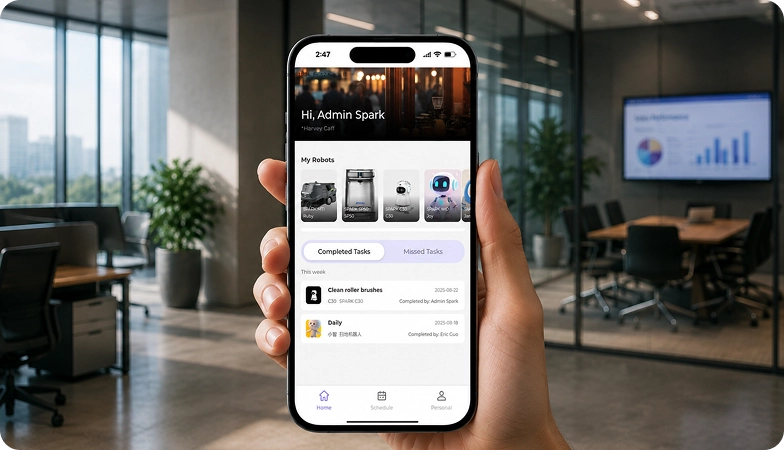
Integration requirements are assessed for each deployment, while tasks, schedules and reports are managed through the app.
05 — Training

SPARK provides user training as part of its after-sales support.
06 — Launch

Launch follows completion of site preparation, mapping, workflow setup and training.

Site Assessment

Understand the facility, floor types, traffic patterns and operational requirements.

Robot Deployment

Introduce the robot into daily operations with minimal disruption.

Mapping

Configure operating areas and routes according to the environment.
Remote Monitoring

Monitor robot operations and receive performance information through the app.

Training & Handover

Provide operators with the knowledge needed to manage the robot day to day.
Ongoing Optimization

Adapt maps and update software as the facility evolves.

Training & Handover

Provide operators with the knowledge needed to manage the robot day to day.

Remote Monitoring

Monitor robot operations and receive performance information through the app.

Ongoing Optimization

Adapt maps and update software as the facility evolves.

Site Assessment

Understand the facility, floor types, traffic patterns and operational requirements.

Mapping

Configure operating areas and routes according to the environment.

Robot Deployment

Introduce the robot into daily operations with minimal disruption.
We are not a box shifter. Deployment covers site survey, mapping, workflow design, integration planning, training and launch — so your robot arrives configured for your building rather than dropped at your loading bay.

If the survey shows the robot is wrong for your site, we will say so.

upSPARK and ongoing support

From installation and user training to software updates and on-site maintenance, we provide full after-sales support.

Technology That Keeps Improving

Every SPARK robot is managed through its manufacturer app and cloud platform, where operators can schedule tasks, monitor each robot remotely and review performance reports. SPARK supports you from installation and training through to software updates and maintenance.

maintenance tasks

Routine maintenance is kept simple, with clear schedules for brushes, filters, tanks and other consumables. SPARK guides your team through each task so the robot stays ready to work.

scheduling

Tasks and schedules can be set and adjusted through the app or control panel, so the robot works at the times that suit your site, including out of hours.

guided maintenance

SPARK provides step-by-step guidance for maintenance tasks, helping your team keep the robot running reliably with minimal downtime.

expert support

Our UK-based team provides expert after-sales support, including troubleshooting, on-site maintenance and help with optimising your robot routines.

Safety, compliance and governance

Safety, compliance and operating information for technical and procurement review.

Compliance

Certification and conformity

Declaration of Conformity and certification documents for this robot are available on request for technical and procurement review.

UKCA marking, IP rating and any additional certification documents are confirmed per robot.

Obstacle handling and safety

360° Environmental Awareness

SPARK robots use onboard sensors to detect obstacles, slow down or stop, and reroute where required. Detailed safety behaviour is covered in the product documentation.

UKCA marking, IP rating and any additional certification documents are confirmed per robot.

Operating boundaries

Mapped operating areas

The robot operates within the mapped areas and configured routes set up during deployment. Operating conditions are listed in the technical specifications above.

UKCA marking, IP rating and any additional certification documents are confirmed per robot.

Data and privacy

App and cloud management

Tasks, schedules and reports are managed through the manufacturer app and cloud platform. Details of data handling and privacy are shared as part of deployment planning.

UKCA marking, IP rating and any additional certification documents are confirmed per robot.

Documents for review

Documentation pack

The user manual, specification sheet and conformity documentation can be shared for technical and procurement review.

UKCA marking, IP rating and any additional certification documents are confirmed per robot.

Choosing between Spark dexterous hands

AGIBOT OmniHand 2025 dexterous hand Omni Hand
AGIBOT OmniHand Pro 2025 dexterous hand Omni Hand Pro
Primary Task
Interactive gestures & light grasping
Tool use & industrial grasping
Degrees of Freedom
16 (10 active)
19 (12 active)
Weight
≤ 500 g
≤ 750 g
Max. Fingertip Force
5 N
20 N
Load (palm up)
1 kg typ. / 2 kg max.
35 kg
Tactile Sensing
400+ points (tactile version)
0.01 N, 150+ points, 3-axis fingertips
Interface
CANFD / RS485
CANFD

Frequently asked questions

Questions about using the Omni Hand at your site

AGIBOT Omni Hand
What is the Omni Hand?

AGIBOT OmniHand 2025, a compact interactive dexterous hand with 16 degrees of freedom for humanoid robots.

AGIBOT robots such as X2 Ultra and third-party humanoids, through CANFD or RS485.

Up to 500 g, or up to 550 g for the tactile version, with a total length of 180 mm.

The tactile version has over 400 tactile points with a 0–20 N sensing range, and all versions support back-of-hand touch interaction.

Typically 1 kg (up to 2 kg) for a 5 cm rigid object palm up, with 5 N fingertip force.

Omni Hand Pro has 19 DOF, 20 N fingertip force, 0.01 N tactile sensitivity and much higher load capacity, for professional tool handling.

Contact the SPARK support team. We provide after-sales support including troubleshooting, software updates and integration guidance for your Omni Hand.

Tell us about your site

See whether the Omni Hand is right for your operation. Tell us a little about your site and what you need, and our team will help you assess the right setup.