
- Best for warehouses, factories and multi-floor logistics
- 600 kg payload in Upright and Underride versions
- Rack recognition with autonomous pick-and-place
Move heavier loads autonomously with the T600
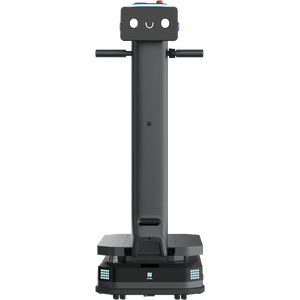
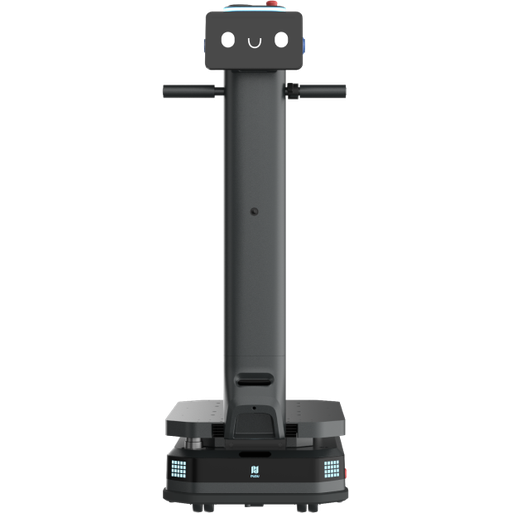
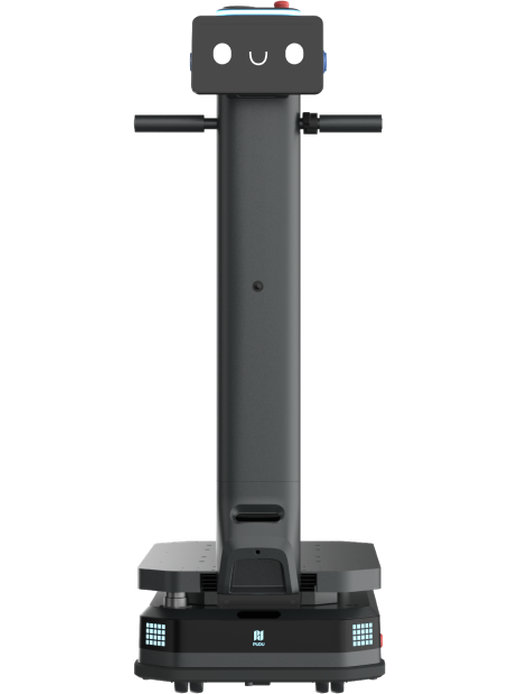
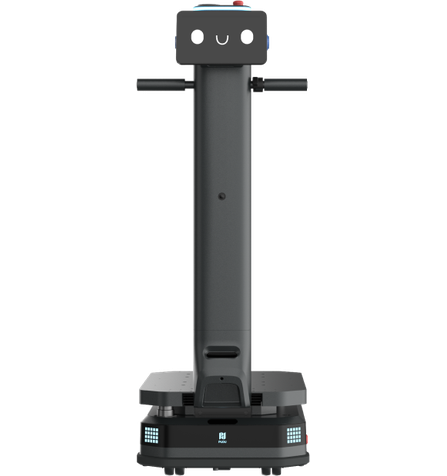
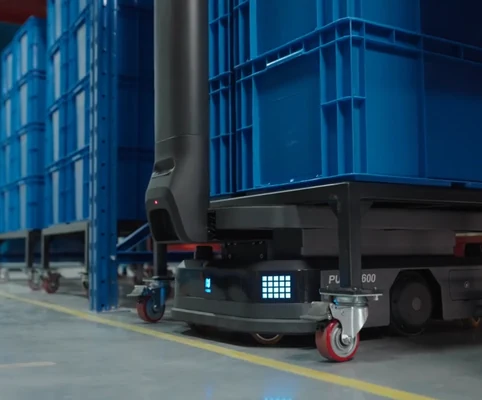
The PUDU T600 series is built for heavy-payload material transport. With a 600 kg payload, it greatly reduces delivery frequency and improves efficiency per trip. The Upright version adds a touchscreen and power-assist handle, while the low-profile Underride version lifts racks from below, and both recognise storage locations for fully unmanned workflows.
Best for
Heavy-payload material transport
Primary task
Rack and pallet-load transfer
Environment
Warehouses, factories, hospitals and multi-floor logistics sites
Deployment type
Flexible mapped deployment, cloud or on-premises, with SPARK site assessment, training and support
Cut delivery trips by moving more in every run
Heavy materials, racks and multi-floor buildings make internal logistics slow and labour-intensive.
Small robots need too many trips
Low payloads multiply journeys for heavy materials.
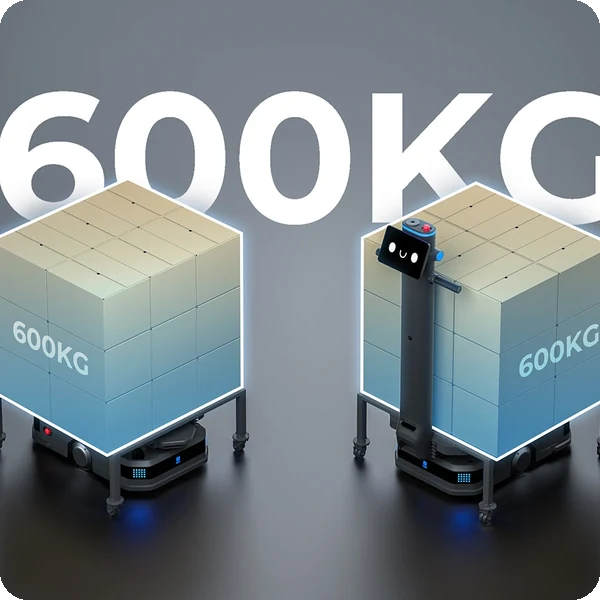
600 kg payload capacity.
The T600 series carries up to 600 kg, greatly reducing delivery frequency and improving efficiency per trip.
Racks still need people to move them
Picking up and placing racks requires manual work at every station.
Rack group recognition
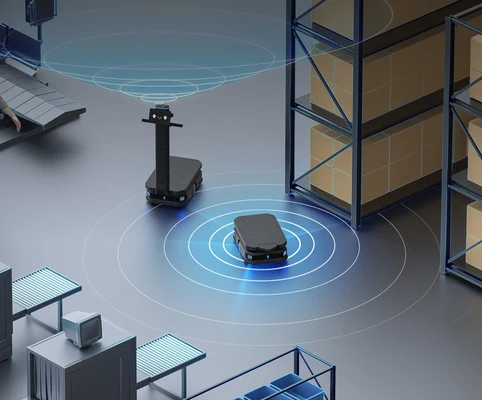
Advanced navigation and perception identify target storage locations and perform pick-and-place autonomously for unmanned workflows.
Multi-floor deliveries get stuck at lifts
Busy lifts cause congestion and wasted waiting time.
Idle elevator priority scheduling
The system monitors lift status in real time and calls idle lifts first, avoiding peak-time congestion.
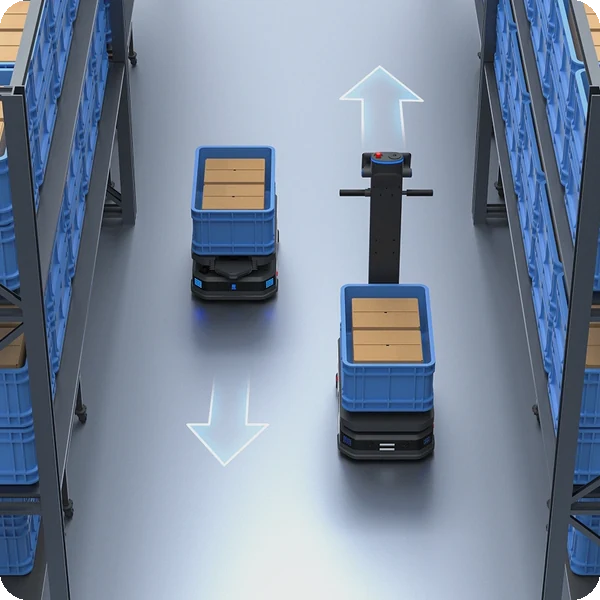
Narrow aisles cause robot traffic jams
Several robots in tight aisles block each other.
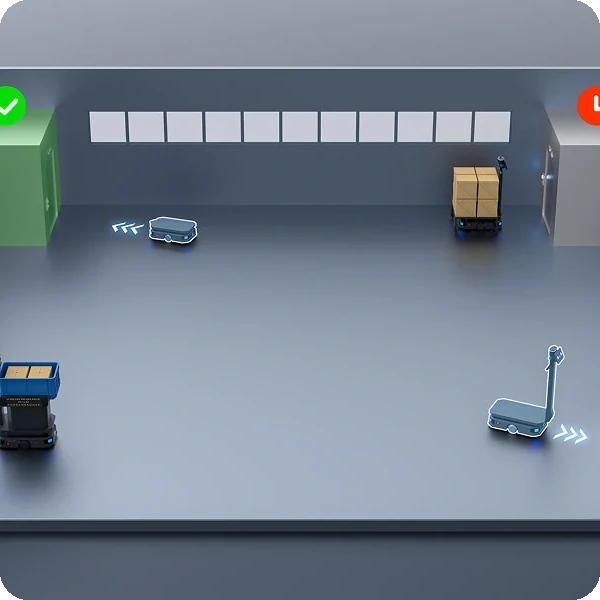
Narrow aisle traffic strategy
Based on path width and real-time load dimensions, the system switches between single- and dual-lane traffic to maximise space.
Key outcomes
Heavy-payload transport
Move racks and heavy loads in fewer trips with two versions for different workflows.
600 kg max load · 60 mm lifting height · Upright with touchscreen and handle · low-profile Underride.
Reduces delivery frequency and labour for heavy internal logistics.
Flexible
Deployment
Adapt quickly to layout changes without facility modifications.
VDA5050 protocol · on-premises deployment · VSLAM + LiDAR SLAM (Upright) · LiDAR SLAM (Underride).
Builds a unified, scalable logistics network with other compliant robots.
Safety built in
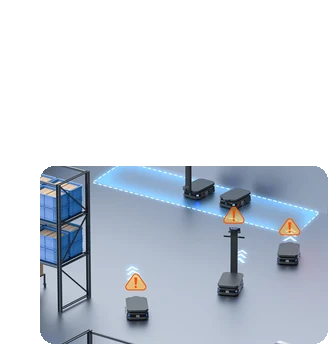
Create a safe human-robot workspace with active warnings and avoidance.
Ground projection · dynamic obstacle avoidance · disaster avoidance for fire alarms and earthquakes · handle assist switch.
Automatically moves to and parks in a safe area in emergencies.
24/7 non-stop operation
Keep running across shifts with fast charging and battery replacement.
12 h runtime (no load) · 2 h charging to 90% · 30 Ah · auto recharging · E-gate, elevator, pager and Pudu Link integration.
Ensures uninterrupted service for round-the-clock operations.
What powers the T600's heavy-payload logistics
600 kg payload
Rack group recognition
Elevator priority scheduling
Narrow aisle strategy
VDA5050 & on-premises
Disaster avoidance
How it works
01.
Map or configure
Prepare the T600 for your site. The facility is mapped, storage locations and lifts are configured, and the fleet is connected via VDA5050 or Pudu Link.
What the T600 handles
Uses VSLAM + LiDAR SLAM (Upright) or LiDAR SLAM (Underride) to map and localise.
Where people step in
Initial mapping and integration require human input.
The exact SPARK deployment process TBC
02.
Run the workflow
The T600 recognises target racks, lifts and transports them, rides lifts between floors and places loads autonomously.
What the T600 handles
Carries out rack pick-and-place, transport, lift riding, traffic management and auto recharging.
Where people step in
Operators can take over with the power-assist handle (Upright). Exact exception and takeover procedures TBC
03.
Monitor and improve
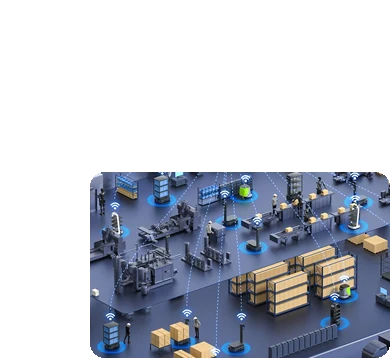
Keep logistics aligned with demand, dispatching tasks with pagers or Pudu Link and scheduling fleets with other VDA5050 robots.
What the T600 handles
Supports fleet scheduling, E-gate and elevator control.
Where people step in
People remain responsible for reviewing performance and deciding when adjustments, maintenance or further configuration are needed. TBC
Use cases and environments
Product in action
PUDU T600 series heavy-payload delivery
Technical specifications
Specification
- Max. load
- Cruise speed
- Lifting height
- Rack recognition
- Traffic strategy
- Elevator scheduling
- Versions
- Noise
T600
- 600 kg
- 0.2–1.2 m/s
- 60 mm
- Autonomous pick-and-place
- Single / dual lane by aisle width
- Idle elevator priority
- Upright and Underride
- TBC
Specification
- Dimensions – Upright
- Dimensions – Underride
- Weight – Upright
- Weight – Underride
- Min. passability – Upright
- Min. passability – Underride
- Model numbers
- Controls (Upright)
T600
- 960 × 500 × 1350 mm
- 845 × 500 × 255 mm
- 112 kg
- 94 kg
- 70 cm
- 65 cm
- WTIDL2 (Upright), WTIDU2 (Underride)
- Touchscreen, handle, quick buttons
Specification
- Navigation – Upright
- Navigation – Underride
- Obstacle avoidance
- Ground projection
- Disaster avoidance
- Max. surmountable height
- Max. surmountable gap
- Safety certification
T600
- VSLAM + LiDAR SLAM
- LiDAR SLAM
- Dynamic, including low obstacles
- Upright version
- Fire alarm and earthquake signals
- 10 mm
- 35 mm
- TBC
Specification
- Battery capacity
- Run time
- Charging time
- Auto recharging
- Battery replacement
- Operation
- Battery type
- Run time (full load)
T600
- 30 Ah
- 12 h (no load)
- 2 h (0% to 90%)
- Supported
- Supported
- 24/7
- TBC
- TBC
Specification
- Protocol
- Deployment
- App
- E-gate control
- Elevator control
- Pager calling
- Network
- MES / WMS integration
T600
- VDA5050
- Cloud or on-premises
- Pudu Link
- Supported
- Supported
- Supported
- TBC
- TBC
Specification
- Operating environment
- Max. surmountable height
- Max. surmountable gap
- Min. passability
- Ingress protection
- Max. slope
- Floor types
- Multi-floor
T600
- 0 °C to 40 °C
- 10 mm
- 35 mm
- 65–70 cm
- TBC
- TBC
- TBC
- Elevator scheduling
Specification
- Power-assist handle
- Touchscreen
- Pagers
- Charging station
- Swappable battery
- Rack adapters
- Custom racks
- Spare parts kit
T600
- Upright version
- Upright version
- Supported
- Auto recharging
- Supported
- TBC
- TBC
- TBC
Deployment and integration
From site survey to launch, SPARK prepares your robot for your site, your workflow and your team.

01 — Site survey
We assess your requirements and site conditions to help plan your robot deployment.

02 — Mapping
The operating area is mapped for autonomous operation before handover.
03 — Workflow design
We develop a deployment plan around your site and operational requirements.

04 — Integration
Integration requirements are assessed for each deployment, while tasks, schedules and reports are managed through the app.
05 — Training
SPARK provides user training as part of its after-sales support.

06 — Launch
Launch follows completion of site preparation, mapping, workflow setup and training.

Site Assessment
Understand the facility, floor types, traffic patterns and operational requirements.

Robot Deployment
Introduce the robot into daily operations with minimal disruption.

Mapping
Configure operating areas and routes according to the environment.
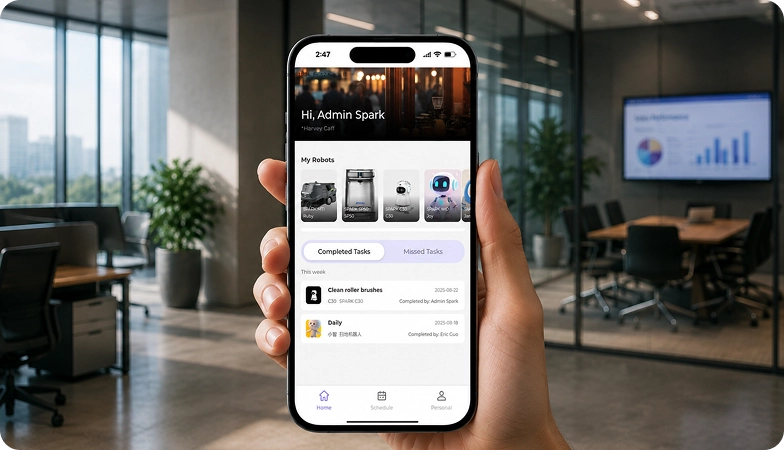
Remote Monitoring
Monitor robot operations and receive performance information through the app.

Training & Handover
Provide operators with the knowledge needed to manage the robot day to day.

Ongoing Optimization
Adapt maps and update software as the facility evolves.

Training & Handover
Provide operators with the knowledge needed to manage the robot day to day.

Remote Monitoring
Monitor robot operations and receive performance information through the app.

Ongoing Optimization
Adapt maps and update software as the facility evolves.

Site Assessment
Understand the facility, floor types, traffic patterns and operational requirements.

Mapping
Configure operating areas and routes according to the environment.

Robot Deployment
Introduce the robot into daily operations with minimal disruption.
What SPARK adds
We are not a box shifter. Deployment covers site survey, mapping, workflow design, integration planning, training and launch — so your robot arrives configured for your building rather than dropped at your loading bay.
If the survey shows the robot is wrong for your site, we will say so.
upSPARK and ongoing support
From installation and user training to software updates and on-site maintenance, we provide full after-sales support.

Technology That Keeps Improving
Every SPARK robot is managed through its manufacturer app and cloud platform, where operators can schedule tasks, monitor each robot remotely and review performance reports. SPARK supports you from installation and training through to software updates and maintenance.

maintenance tasks
Routine maintenance is kept simple, with clear schedules for brushes, filters, tanks and other consumables. SPARK guides your team through each task so the robot stays ready to work.

scheduling
Tasks and schedules can be set and adjusted through the app or control panel, so the robot works at the times that suit your site, including out of hours.

guided maintenance
SPARK provides step-by-step guidance for maintenance tasks, helping your team keep the robot running reliably with minimal downtime.

expert support
Our UK-based team provides expert after-sales support, including troubleshooting, on-site maintenance and help with optimising your robot routines.
Safety, compliance and governance
Compliance
Certification and conformity
Declaration of Conformity and certification documents for this robot are available on request for technical and procurement review.
Obstacle handling and safety
360° Environmental Awareness
SPARK robots use onboard sensors to detect obstacles, slow down or stop, and reroute where required. Detailed safety behaviour is covered in the product documentation.
Operating boundaries
Mapped operating areas
The robot operates within the mapped areas and configured routes set up during deployment. Operating conditions are listed in the technical specifications above.
Data and privacy
App and cloud management
Tasks, schedules and reports are managed through the manufacturer app and cloud platform. Details of data handling and privacy are shared as part of deployment planning.
Documents for review
Documentation pack
The user manual, specification sheet and conformity documentation can be shared for technical and procurement review.
Choosing between Spark industrial robots
T300
T600
MP2000
Frequently asked questions
Questions about using the T600 at your site
What can the T600 carry?
Up to 600 kg, including racks lifted from below by the Underride version.
What is the difference between Upright and Underride?
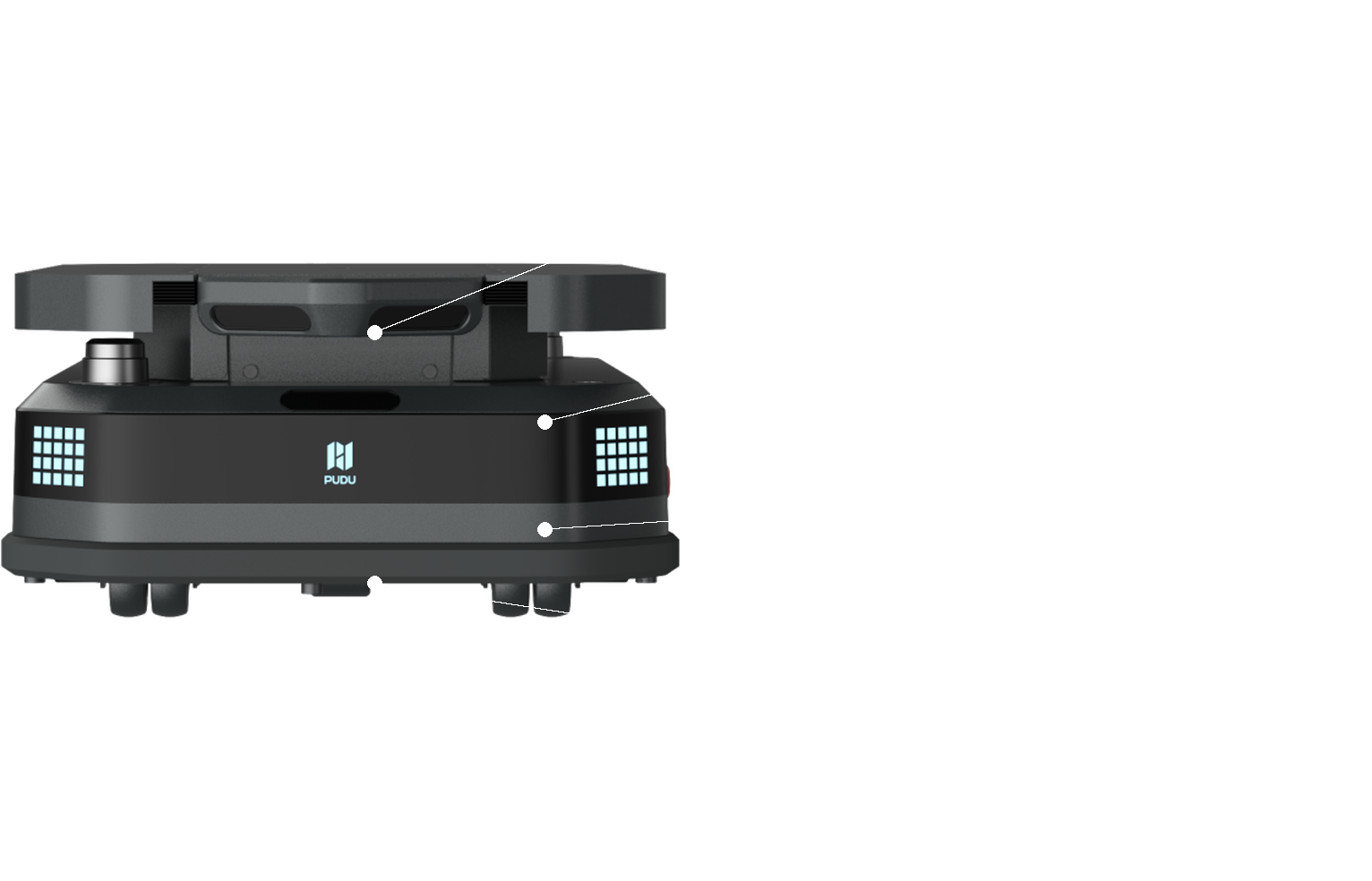
The Upright version has a touchscreen, power-assist handle and ground projection; the low-profile Underride (255 mm high) lifts racks from below.
How long can the T600 operate?
About 12 hours with no load, with charging from 0% to 90% in about 2 hours and battery replacement options.
Can the T600 work across floors?
Yes. It integrates with elevators and prioritises idle lifts to avoid congestion.
Does the T600 work with other robots?
Yes. It supports the VDA5050 protocol for collaborative scheduling with other compliant robots and systems.
What happens in an emergency?
A disaster avoidance module receives fire-alarm and earthquake signals, navigates to a safe area and parks automatically.
How do I request engineering support if there is a problem?
Contact the SPARK support team. We provide after-sales support including troubleshooting, software updates and on-site maintenance for your T600.